2026
Plateful
A week of good food, planned before Monday asks.
A calm, personal meal-planning app: onboarding learns your diet, allergies and dislikes, then builds a week of recipes with macro rings and an auto shopping list.
A self-initiated concept, designed like a real product.
The brief we set ourselves
Design a meal planner for people who want to eat better without logging every gram: tell it how you eat once, then get a week of recipes, daily macro rings and a shopping list that writes itself.
Who it is for
Busy home cooks aged 25–45 and households that plan a whole week at once — people who care about protein and variety more than about counting calories line by line.
What we designed
Today with macro rings, a week planner with an «Add to Thursday» bottom sheet, a recipe with step timers, a shopping list grouped by aisle — and the onboarding and components behind them.
Design facts from the concept files — not business results.
02ResearchPeople don't want a calorie log. They want Thursday's dinner sorted.
We looked at where the category is growing, at how meal-planner and macro-tracking shots on Dribbble and Behance lay out a day and a week, and at our own measured pattern library from an earlier food product.
We looked at where the category is growing, at how meal-planner and macro-tracking shots on Dribbble and Behance lay out a day and a week, and at our own measured pattern library from an earlier food product.
- Market
Meal-planning apps are a small but fast niche: about $380M in 2025, projected around $1.25B by 2034 (CAGR ≈14%). The report page also lists a second set of figures, so we read it as direction, not a number.
DecisionBuild for planning, not for logging: the week is the main object, the day is a view of it.
- Category
The wider diet & nutrition app category was put at $6.13B in 2025 with a 16.6% CAGR — most of it tracking-first products.
DecisionKeep the precision of tracking (macro rings, grams) but never ask the user to type a meal in; the plan fills the rings.
- Patterns
The meal-planner and macro-tracking shots we collected share one vocabulary: dish cards, a week grid, macro rings and a plan for the day — people already know how to read it.
DecisionKeep that vocabulary and make it calmer: one photo per recipe reused as its thumbnail, tinted macro cells instead of tables, tomato only as a small accent.
Patterns we borrowed
- Our own pattern library
- Measured patterns from an earlier food product we designed: airy canvas, r16 cards, pill buttons, macro rings, bottom sheets — the level, not the name, copy or font
- Meal-planner shots
- A horizontal day strip with dots for planned days; a bottom sheet to add a recipe without leaving the week
- Macro trackers
- A kcal ring with three macro bars beside it instead of four separate rings
- Grocery apps
- Shopping list grouped by aisle with ticked items struck through and an undo toast
What we left out
Logos, illustrations, copy and photos of any existing app — including the earlier product's name, Poppins and its palette. Plateful has its own mark, Urbanist + DM Sans and its own food photography.
Moodboard references
From grey phone frames to a plan you want to cook.
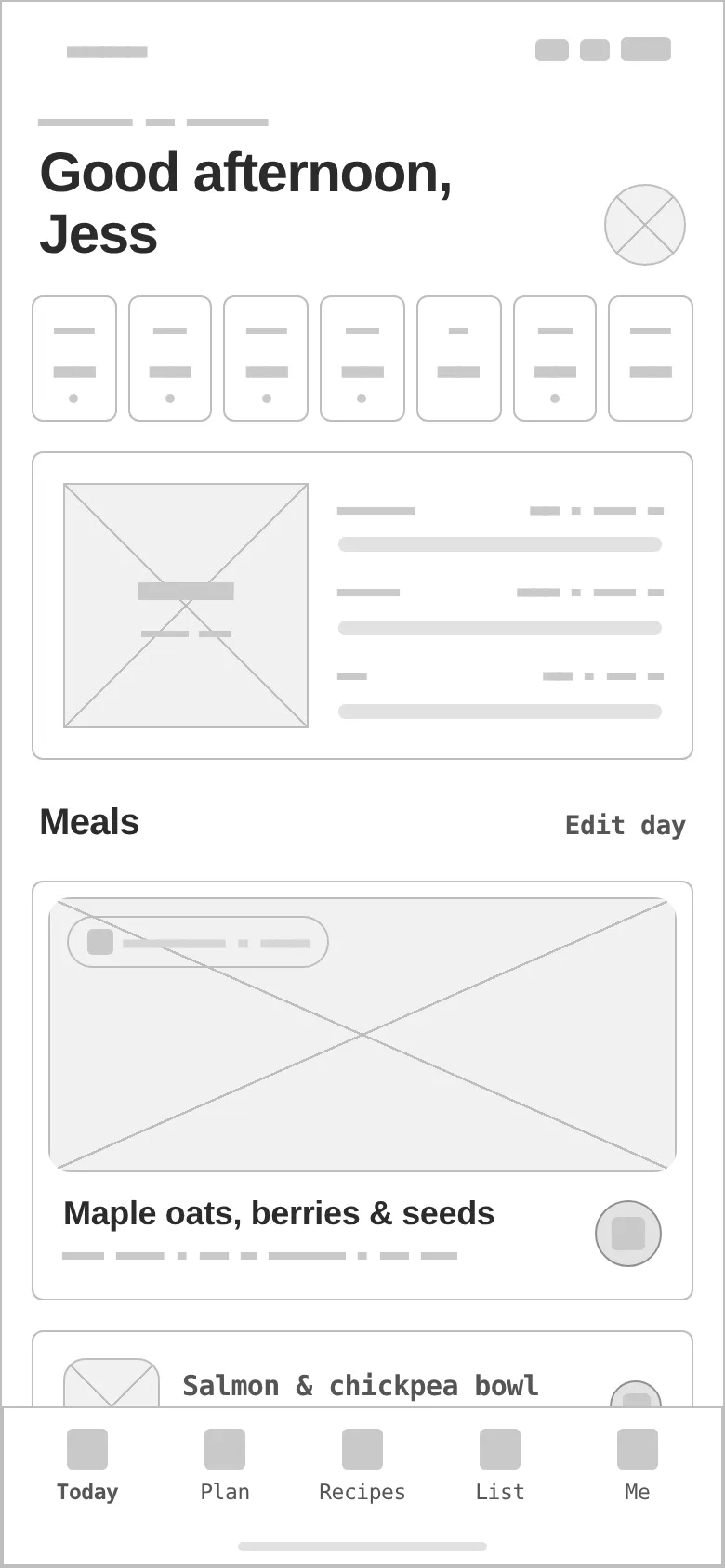
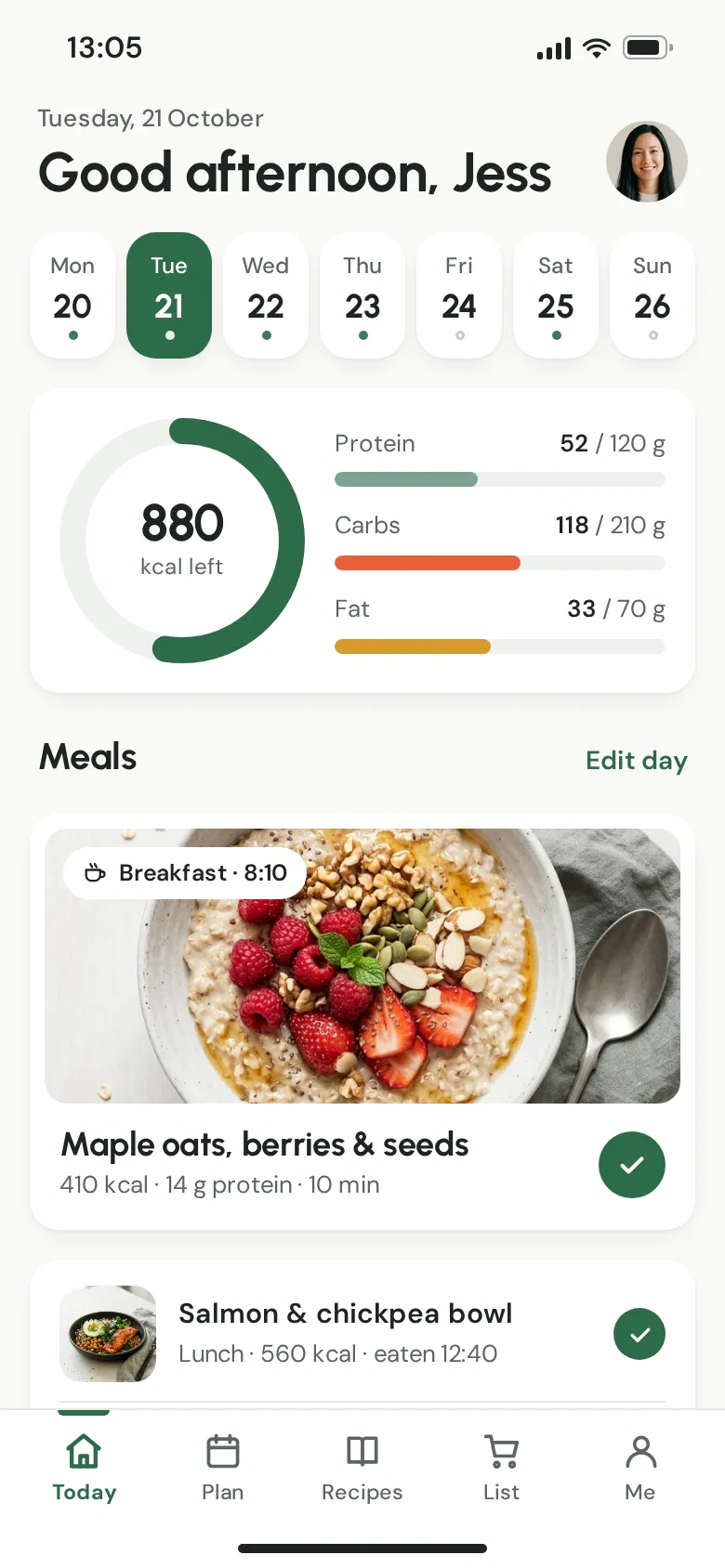
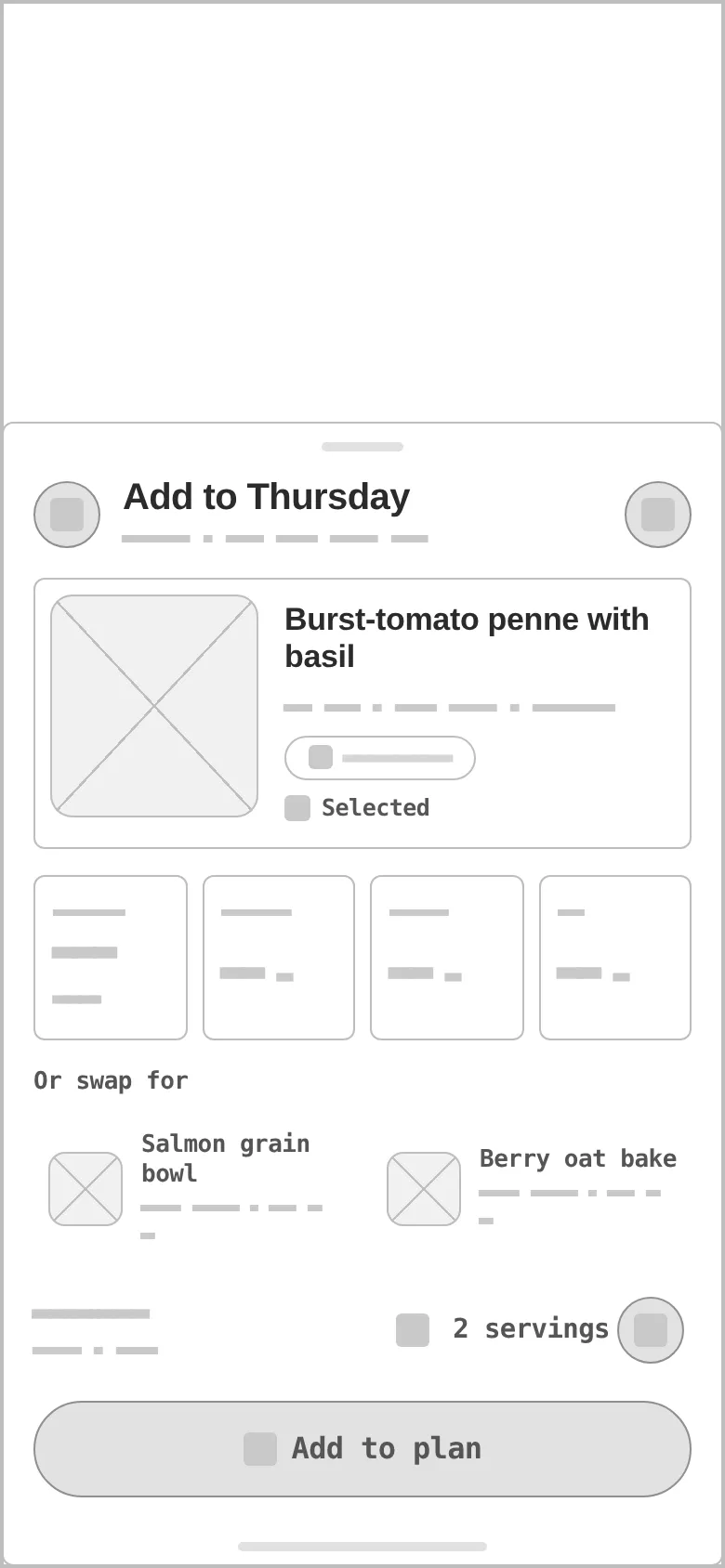
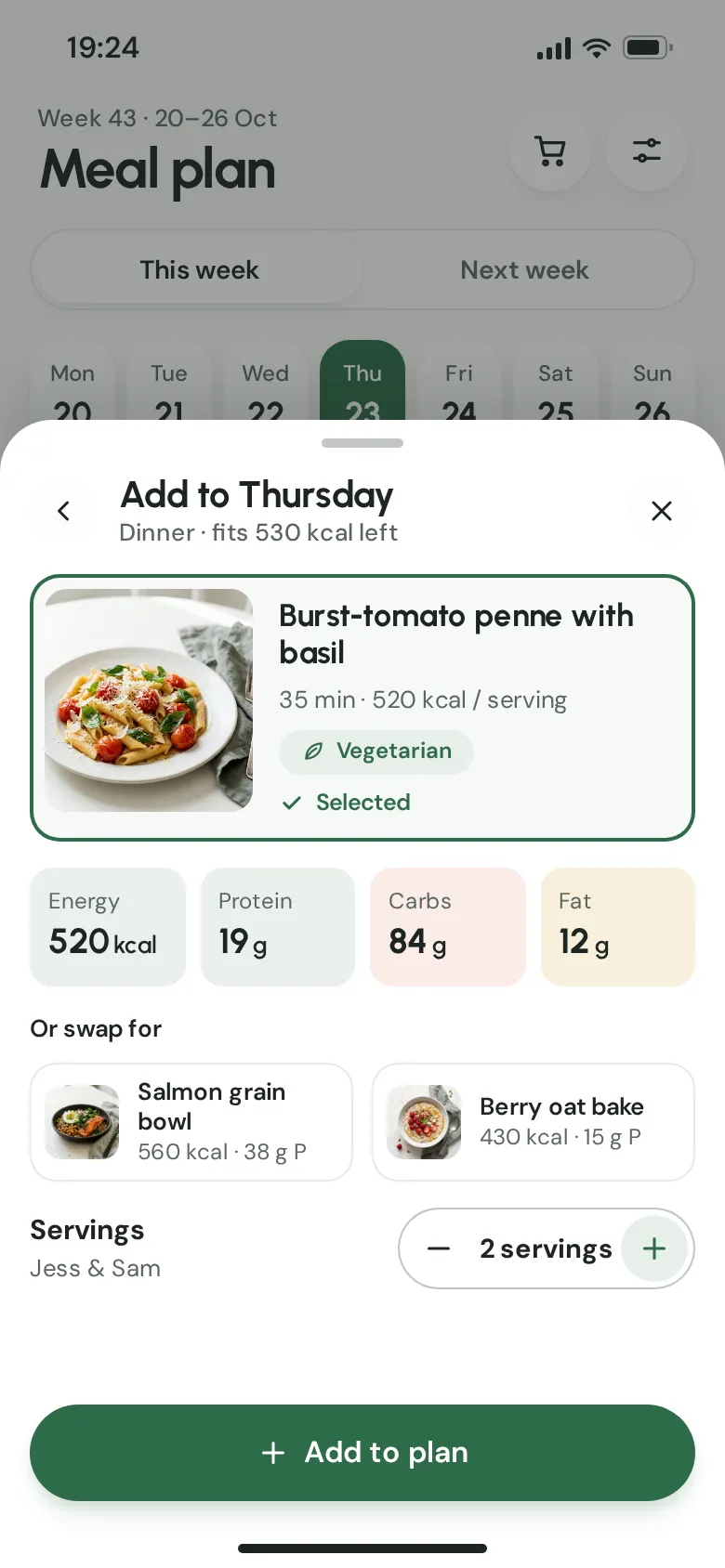
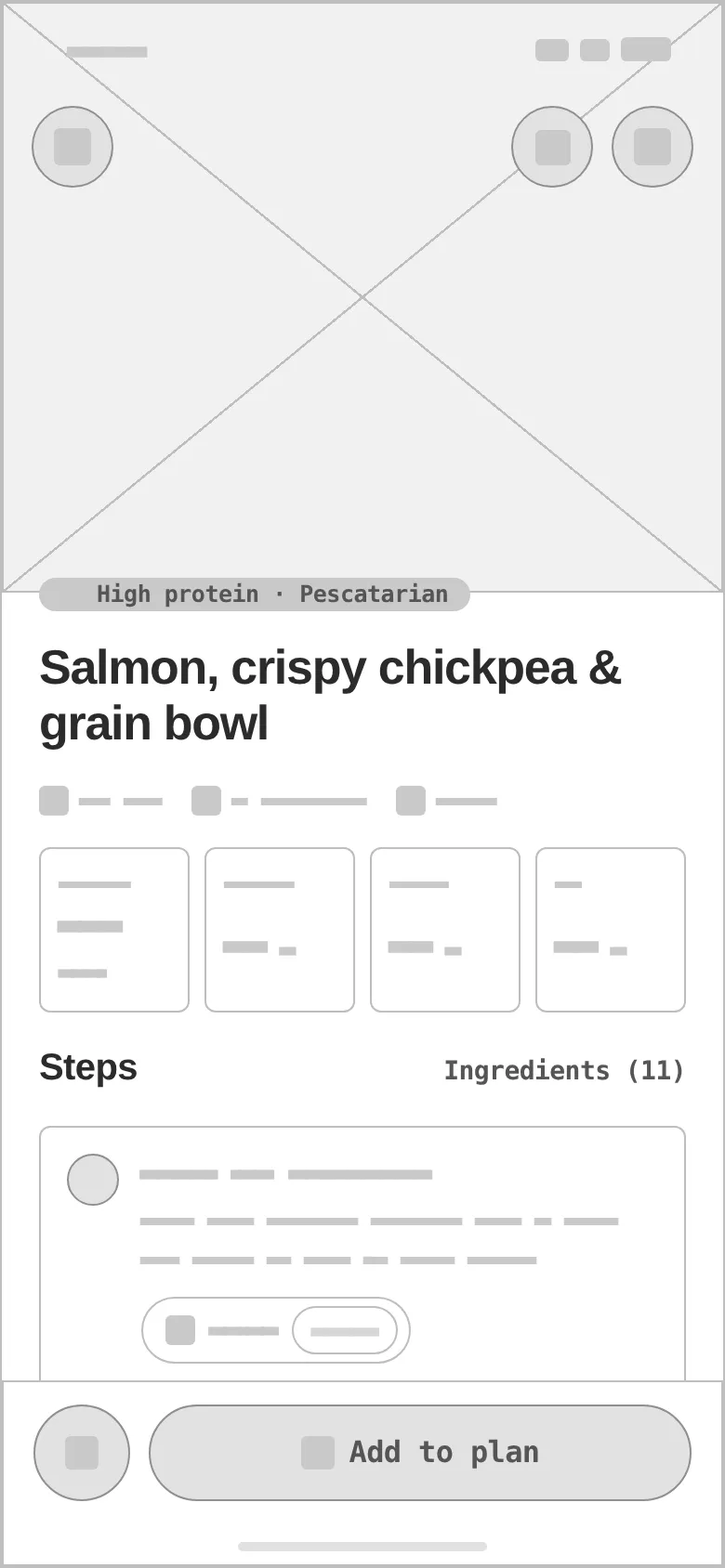
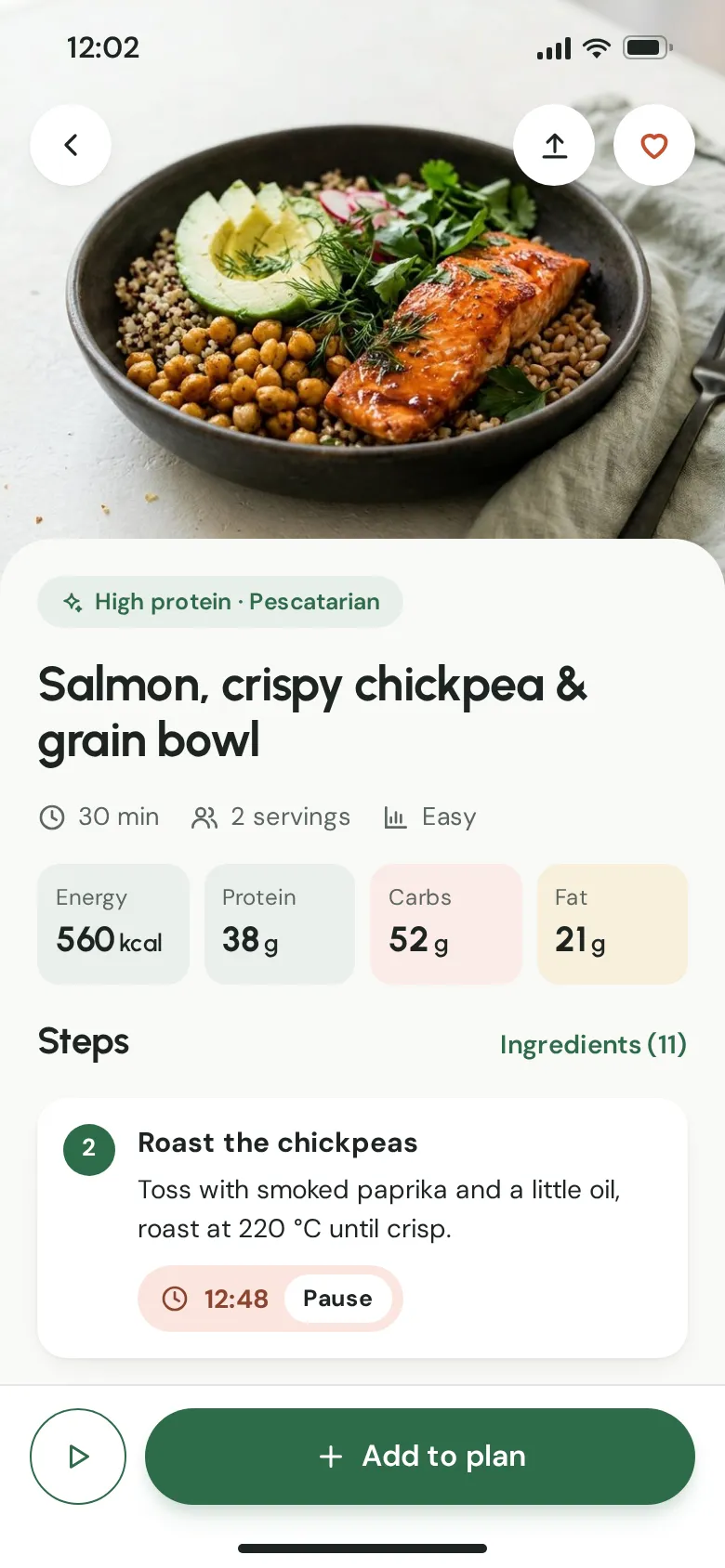
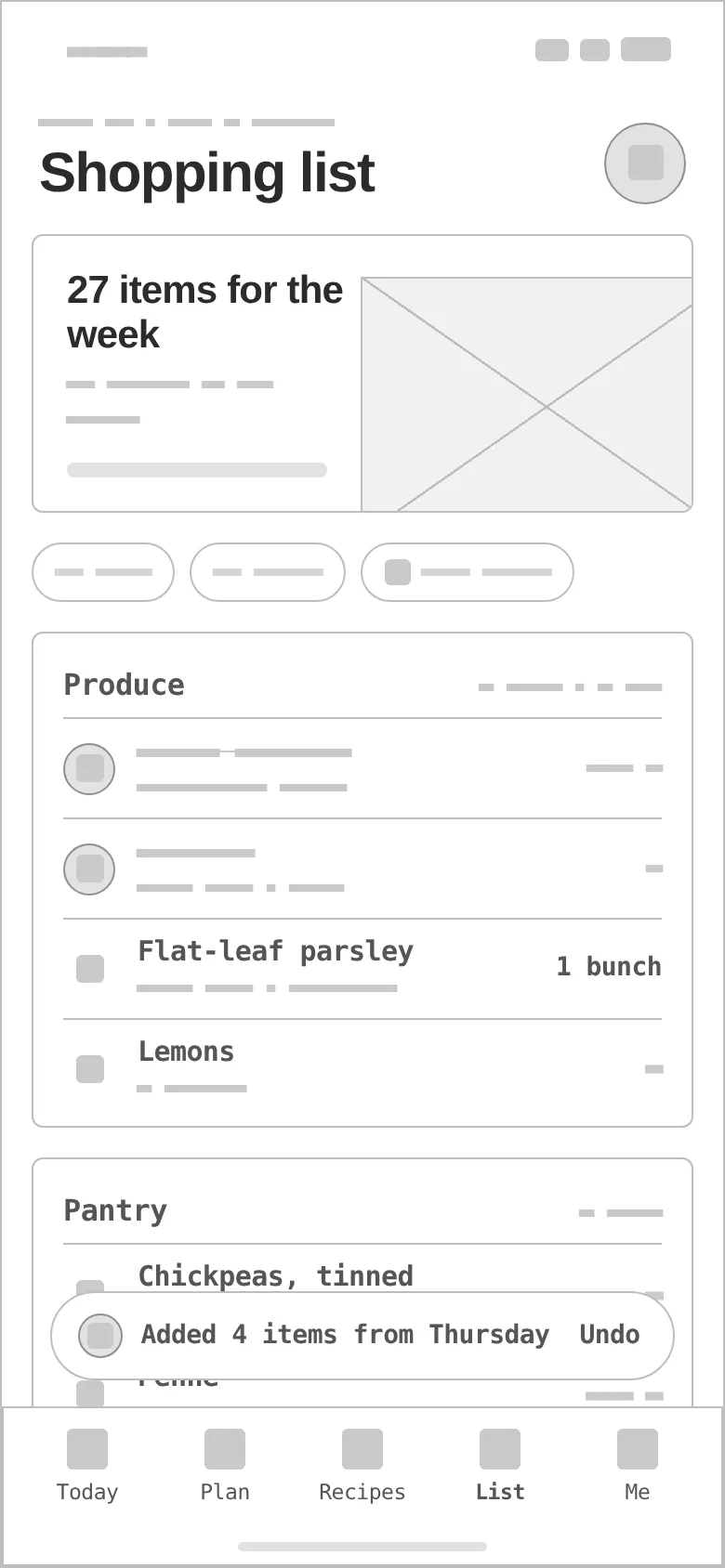
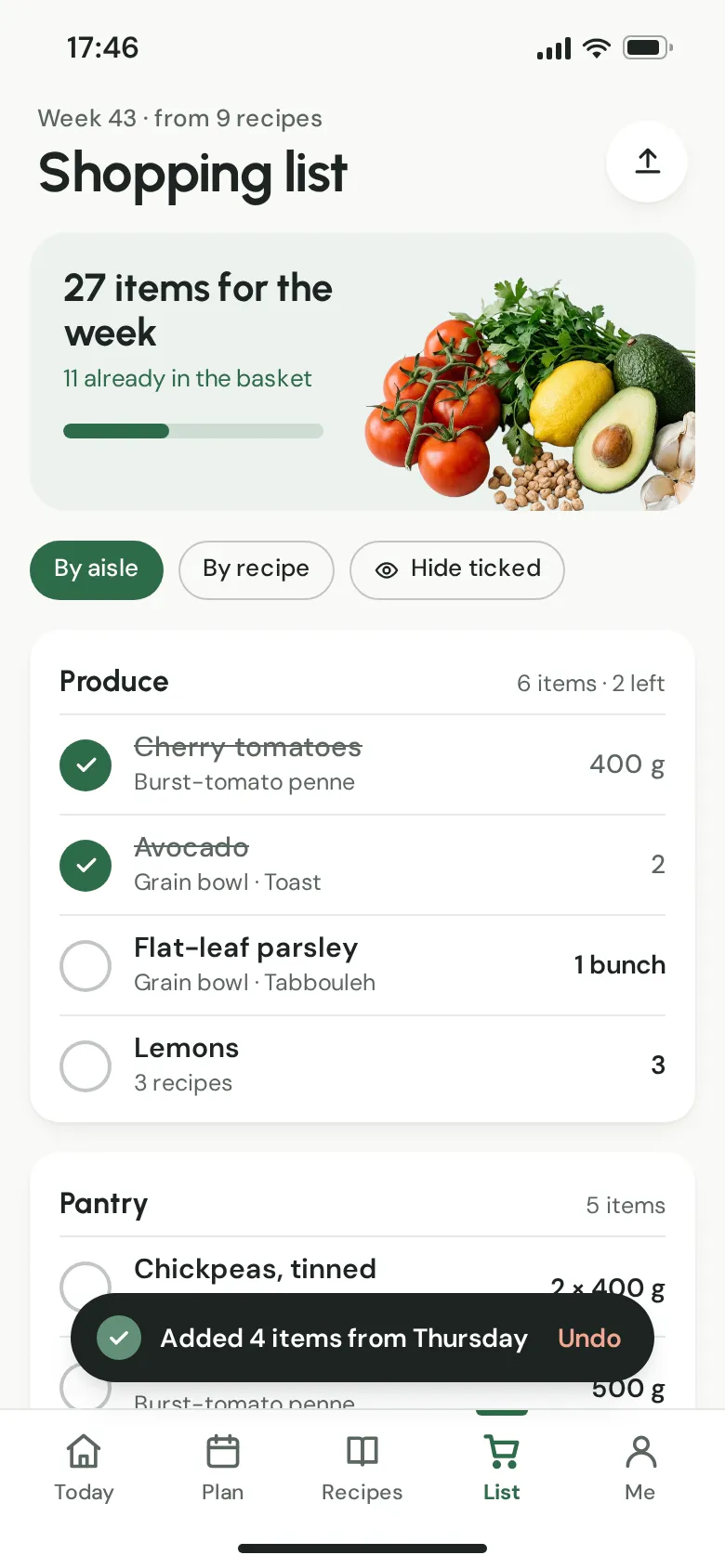
Every «before» is generated from the very same screen markup, reduced to outlines, readable labels and grey word-bars — no colour, photos or shadows. Drag a handle to compare.
- 01
Hierarchy
The ring answers «how much is left today» first; meals come second, with the next meal as the only big photo card.
- 02
Grid & density
16 px side margins, r16 cards on an 8-pt rhythm, one full-width pill CTA per screen; dense rows only in the shopping list, where people tick fast.
- 03
States
Planned / eaten days in the strip, a selected recipe with «Selected» check, a running step timer with Pause, ticked and struck-through items, an undo toast.
- 04
Assets
Four food photos and an ingredients cut-out made for the concept; the same recipe photo is the hero and every thumbnail of that recipe.
- 05
Bottom sheet
«Add to Thursday» keeps the week visible behind a dimmed scrim: fits-the-day kcal, macro cells, two swaps and a servings stepper in one place.
- 06
Real-looking data
Recipes, macros in grams, servings for «Jess & Sam», quantities by aisle — realistic lengths test every row instead of lorem ipsum.
Herb green does the work, tomato only seasons it.
Herb green carries every action (6.3:1 with white text); tomato is the appetite accent at 3.26:1 — allowed for icons and fills, never for body text. Urbanist sets friendly, round headlines, DM Sans the numbers and the interface.
A herb-green stem and a tomato bowl forming a «P», with two leaves — picked from four sketched directions because it is the only one that reads as a single mark at 32 px.
#2E6B4A
vs bg 6.05:1 · label 6.33:1
#E8603C
on bg 3.26:1
#1C2421
on bg 15.17:1
#FAFAF7
text on it 15.17:1
#FFFFFF
text on it 15.86:1
#5B6661
on bg 5.71:1
Accent / bg 3.26:1 — tomato passes for UI shapes and icons (≥3:1), but text always uses cast iron or herb green.
Urbanist 700Plateful
Urbanist 700Busy 25–45 home cooks who want to eat better without counting everything
DM Sans 400 · 16/26A calm, personal meal-planning app: onboarding learns your diet, allergies and dislikes, then builds a week of recipes with macro rings and an auto shopping list.
DM Sans 600 · 12food / meal planning
Four screens from breakfast to the checkout aisle.
Today
Greeting, the week strip, a kcal ring with protein / carbs / fat bars, the breakfast card with its photo and the rest of the day's meals ticked as eaten.
Week planner + bottom sheet
Adding a recipe to Thursday without leaving the week: what fits the remaining kcal, macro cells, swaps and servings.
Recipe detail
Full-bleed photo, diet tag, time / servings / difficulty, macro cells and steps with a timer you can pause.
Shopping list
Generated from the week: 27 items in aisle groups, filters by aisle or recipe, and an undo toast after adding a day.
Macro rings
One ring for what is left, three bars for what it is made of — readable in a glance.
Step with a timer
The running step is pulled forward, with its own timer and Pause.
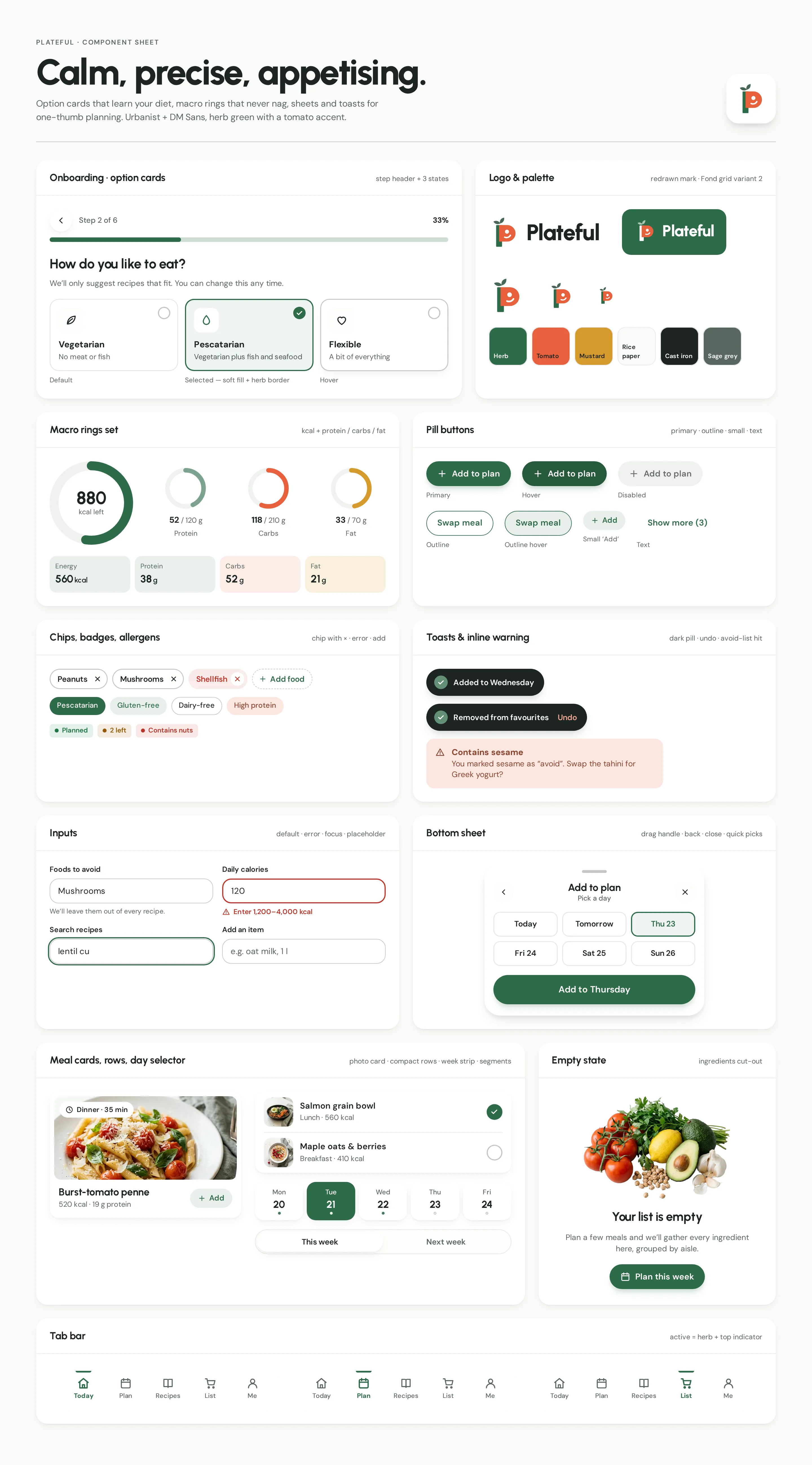
Component sheet
Onboarding option cards and step header, logo and palette, macro rings, pill buttons, chips with ×, toasts and the avoid-list warning, inputs, the bottom sheet, meal cards, empty state and tab bars.
AiryAppetizingPrecise
06Build planFrom a meal-plan idea to an app in both stores.
Plateful lives on the phone and in the kitchen: recipes, a week plan and a shopping list that has to stay right every time the plan changes. Six stages, each ending in something we can put in front of real home cooks.
Plateful lives on the phone and in the kitchen: recipes, a week plan and a shopping list that has to stay right every time the plan changes. Six stages, each ending in something we can put in front of real home cooks.
- 01
Discovery
Interviews with people who plan a whole week at once: how they choose recipes, what they avoid, when they shop. The MVP is scoped around plan → cook → shop.
DeliverablesInterview notesMVP scope - 02
Recipe & nutrition data
A recipe model with ingredients, units, servings and steps with timers; macros computed per serving from an ingredient database, never typed in by hand.
DeliverablesRecipe schemaNutrition sourceUnit conversion - 03
UI system & prototypes
The component sheet as a coded design system — macro rings, meal cards, the bottom sheet, chips and toasts — and onboarding tested as a clickable prototype.
DeliverablesDesign systemOnboarding prototype - 04
Planner & API
Week plan, swaps and servings behind an API; every moved meal recalculates the day's macros and the shopping list, on every signed-in device.
DeliverablesPlanner APIDevice sync - 05
Shopping list
Ingredients merged across recipes, units summed and grouped by aisle; the list works offline in the shop and syncs the ticks back later.
DeliverablesList generatorAisle groupsOffline mode - 06
QA & release
Tests on small and large phones, accessibility checks for dynamic type and contrast, a TestFlight and Play beta, then the store listings.
DeliverablesDevice QABetaApp Store & Google Play
Questions & answers
Is Plateful a real product?
No. Plateful is a self-initiated concept by Omnisense — a brief we set ourselves, with no client and no business metrics. All recipes, people and numbers in the screens are sample data.
Who is Plateful for?
Busy home cooks aged 25–45 and households that plan a whole week at once — people who care about protein and variety more than about counting calories line by line.
Do I have to log every meal?
No. Plateful is built for planning, not logging: you tell it how you eat once, then get a week of recipes, daily macro rings and a shopping list that writes itself. The plan fills the rings — you never type a meal in.
What did you design?
Four key screens — Today with macro rings, a week planner with an «Add to Thursday» bottom sheet, a recipe with step timers and a shopping list grouped by aisle — plus onboarding, a component sheet, the logo, palette and type system.
How would the app be built?
In six stages: discovery, a recipe and nutrition data model, a coded design system, a planner API with device sync, an offline shopping list, then device QA, a beta and the store listings. The proposed stack is React Native / Expo, TypeScript, a Node.js API and Postgres.