2026
Parcount
Count the shelves with gloves on — and see the plate cost before service.
Restaurant inventory that counts itself: scan-to-count on a tablet, par levels, supplier orders and live food-cost % per dish.
A self-initiated concept, designed like a real product.
The brief we set ourselves
Design restaurant inventory for the people who actually count: a tablet mode for the closing count in the dry store, par levels that write the order, and food cost per dish that updates when a supplier raises a price.
Who it is for
Chefs, kitchen managers and owners of independent restaurants with 1–10 locations, who still count on paper and reconcile in a spreadsheet.
What we designed
A tablet count mode, par levels with alerts, an order builder by supplier, food cost per dish with a price simulator — and the components behind them.
Design facts from the concept files — not business results.
02ResearchFood costs keep rising. Counting is still paper and Excel.
We read an industry survey on food costs, looked at what inventory leaders cover, and searched the galleries for restaurant inventory — finding admin panels, but nothing designed for the store room.
We read an industry survey on food costs, looked at what inventory leaders cover, and searched the galleries for restaurant inventory — finding admin panels, but nothing designed for the store room.
- Costs
In a 2025 vendor survey, 91% of restaurant leaders reported rising food costs and 90% expected them to rise further.
DecisionMake food cost the end of every flow: a count updates par levels, an order updates prices, a price updates the plate cost.
- Context
Counts happen at closing, standing at a shelf, often with gloves and wet hands — a desktop table does not survive that.
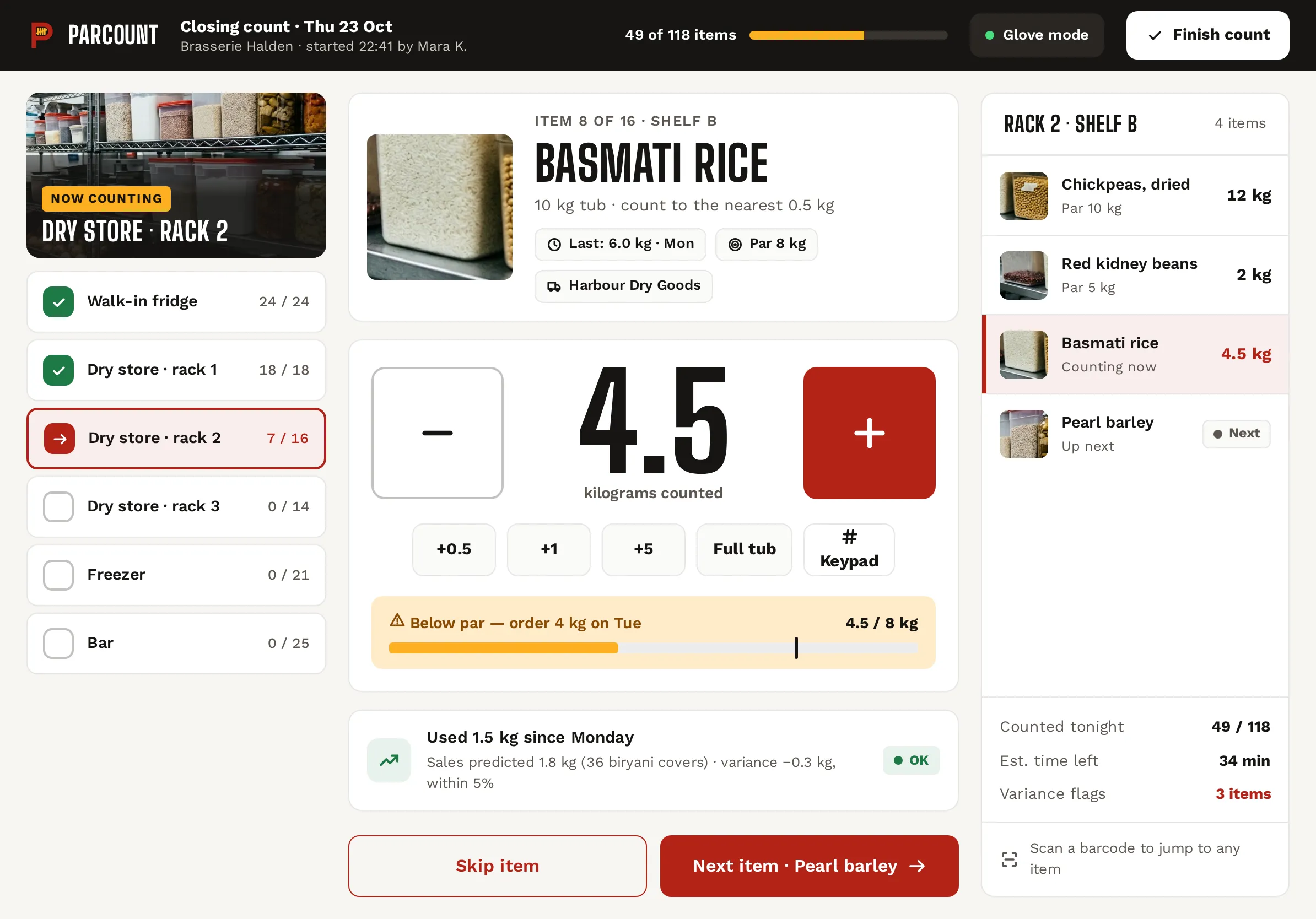
DecisionA tablet-first count mode: one item at a time, a 120 px stepper, quick adds (+0.5, full tub), a shelf queue and «Glove mode».
- Gallery gap
Restaurant inventory shots on Behance and Dribbble are generic admin dashboards — tables and donut charts, no kitchen in sight.
DecisionGive it a kitchen voice: condensed Big Shoulders headings, tomato red on a prep-counter grey, ticket cards with a perforated edge.
Patterns we borrowed
- MarketMan
- Only the functional scope — inventory, ordering and food cost; its design was not audited or reused
- Order tickets
- The draft order as a kitchen ticket with perforations, total and delivery slot
- Fitness counters
- A huge stepper with quick-add chips for one number at a time
- Pricing tools
- A simulator slider that shows the food cost % at a new menu price
What we left out
Logos, copy and screens of MarketMan or any inventory product, and any visible brands on the photos. Parcount has its own name, mark and food photography.
Moodboard references
From a grey spreadsheet to a tool for the store room.
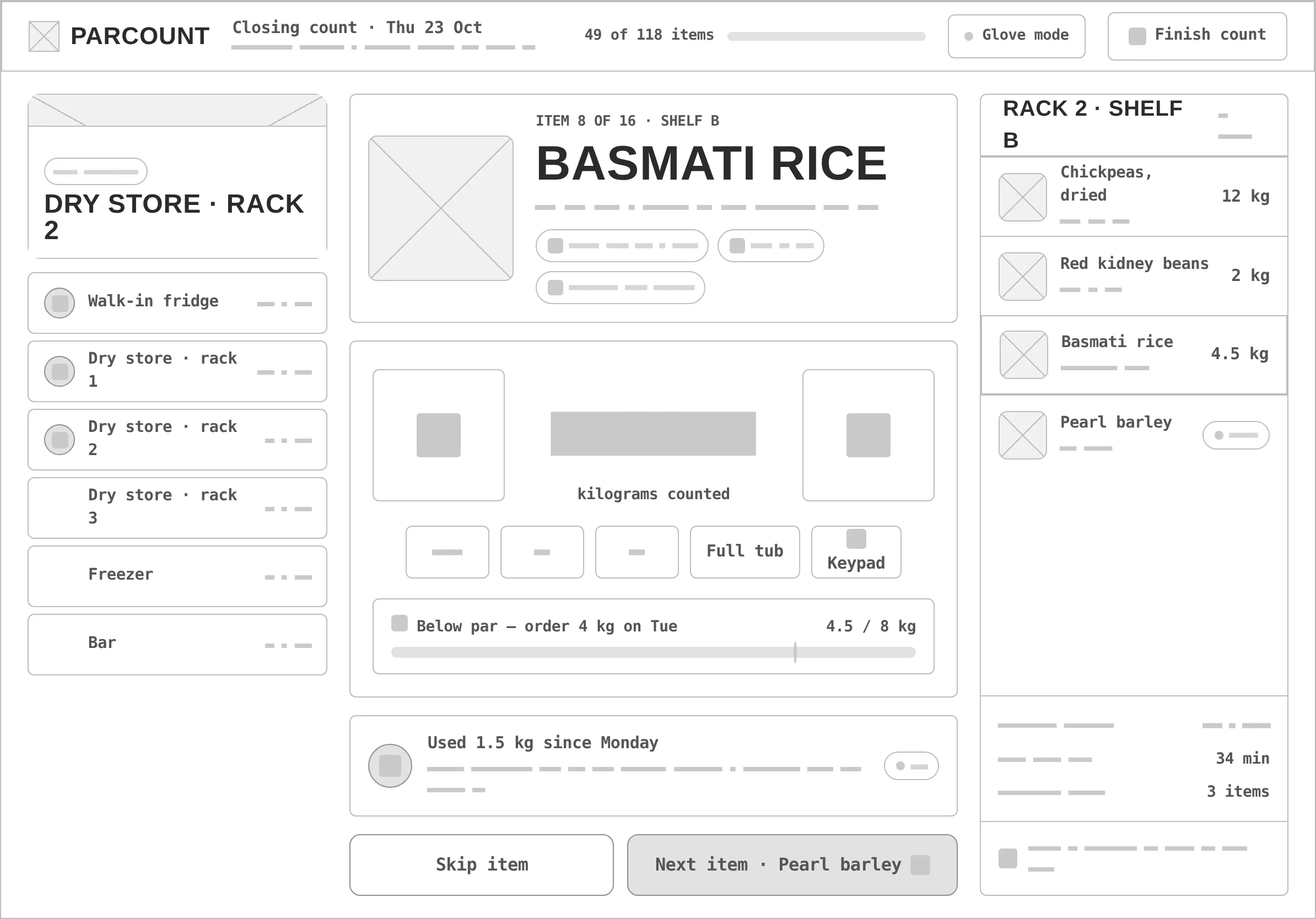
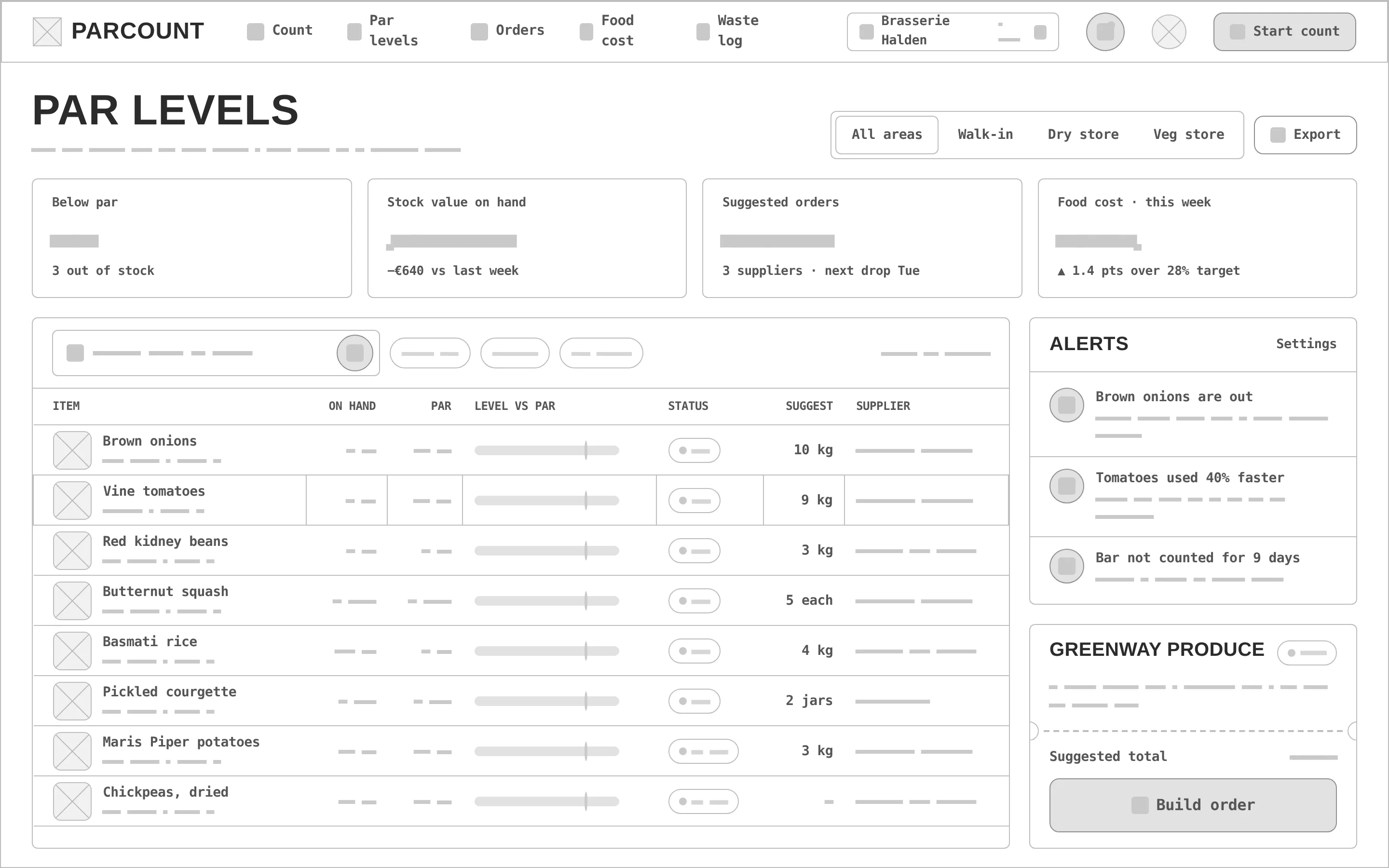
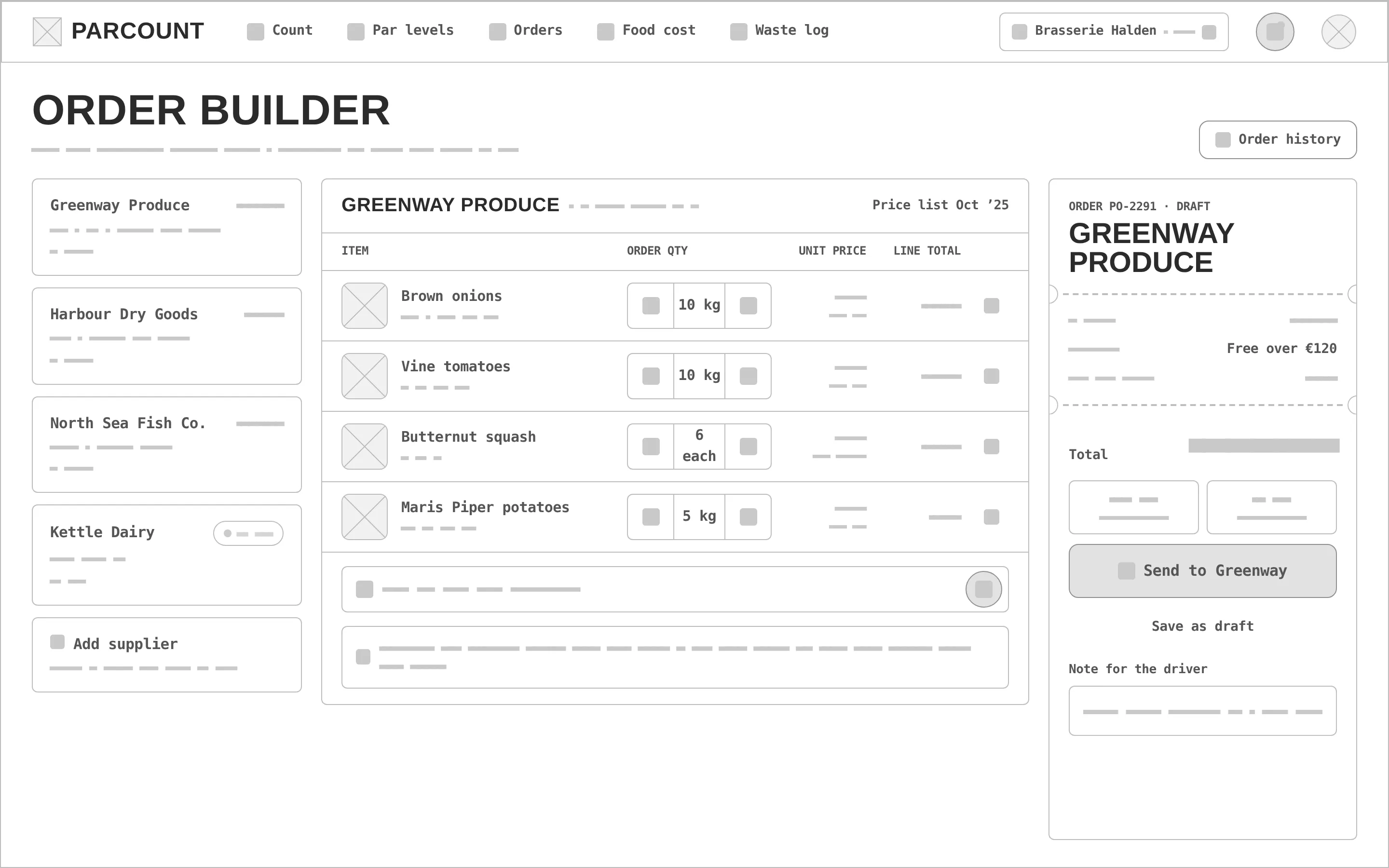
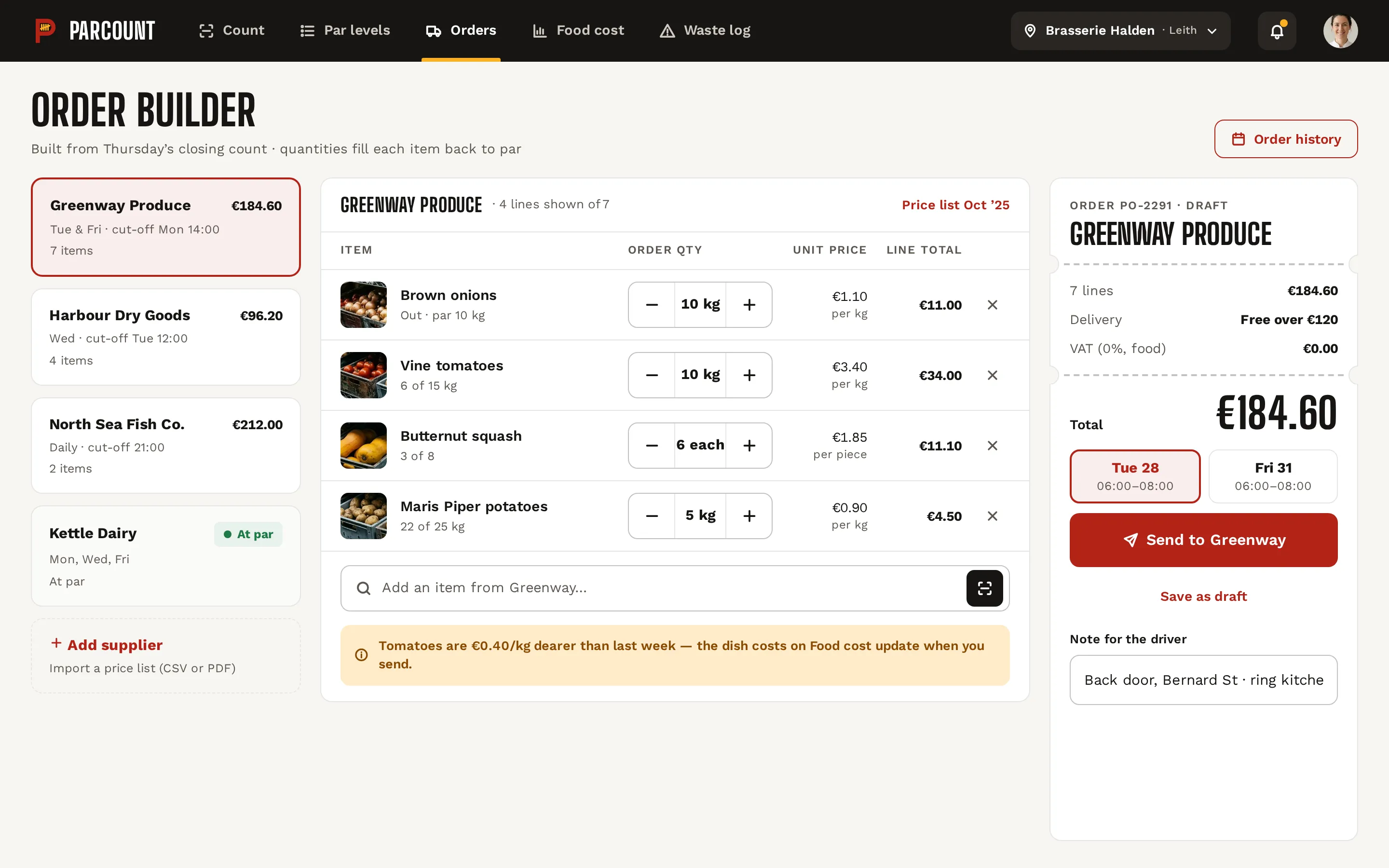
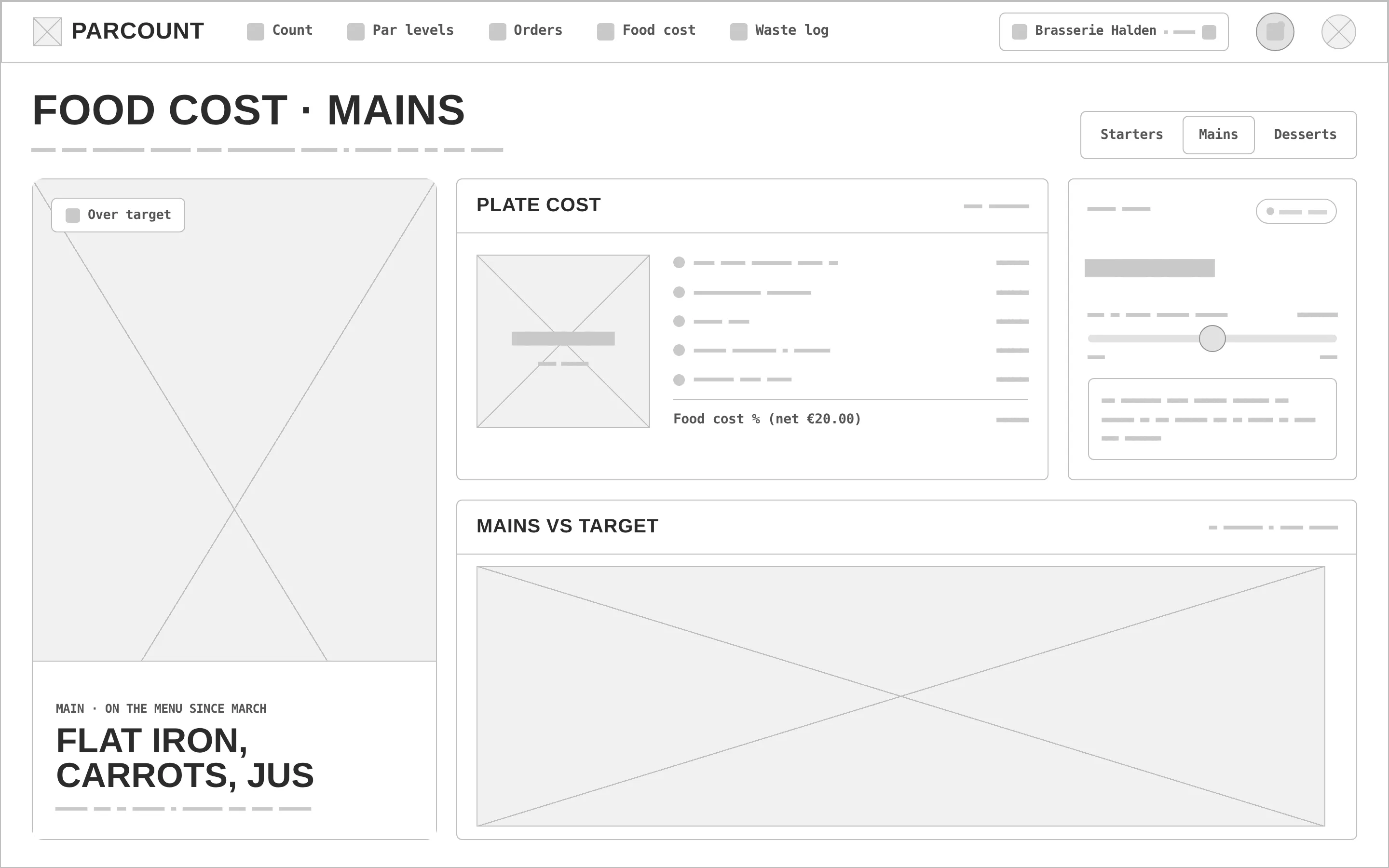
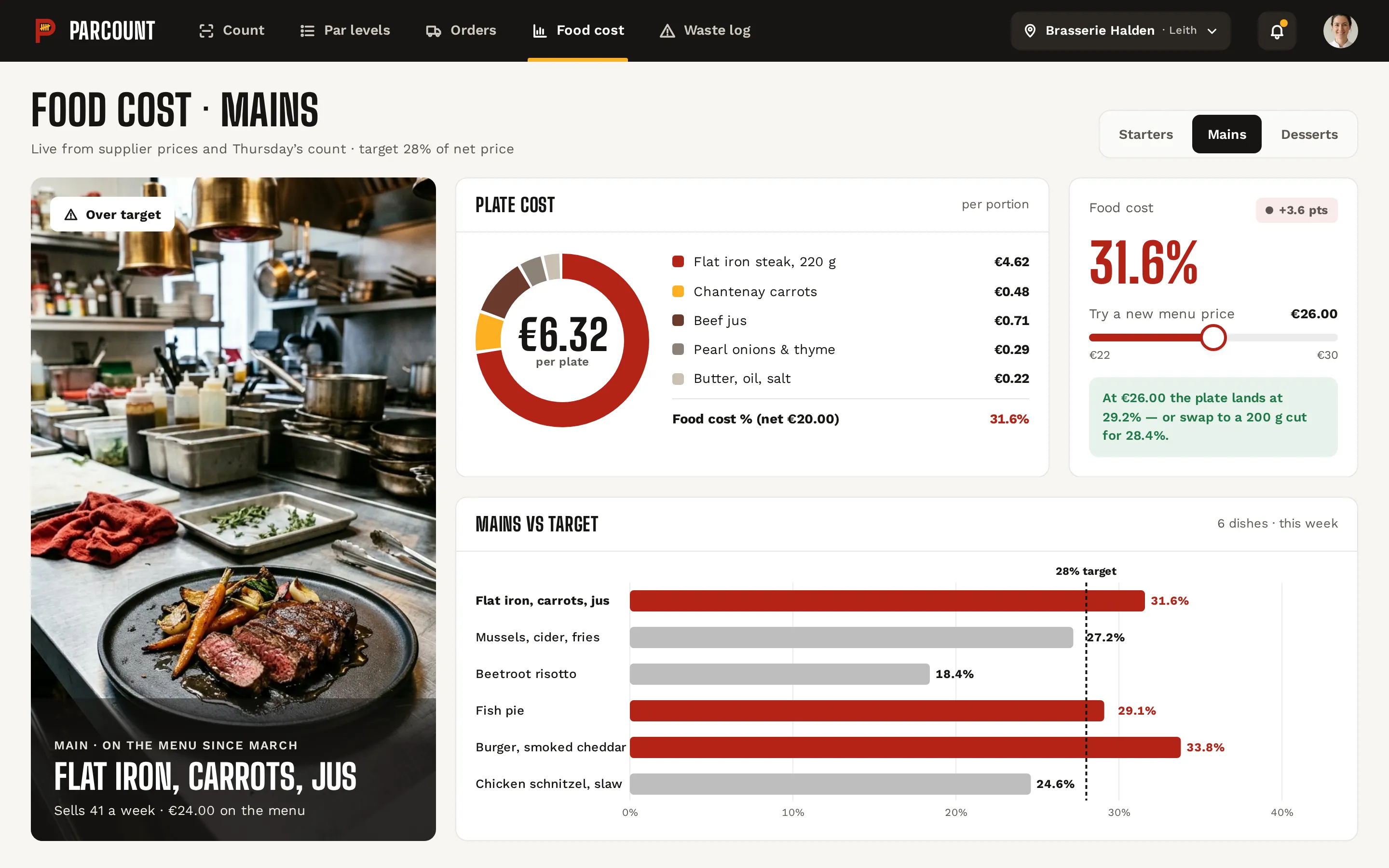
Every «before» is generated from the very same screen markup, reduced to outlines, readable labels and grey word-bars — no colour, photos or ticket edges. Drag a handle to compare.
- 01
Hierarchy
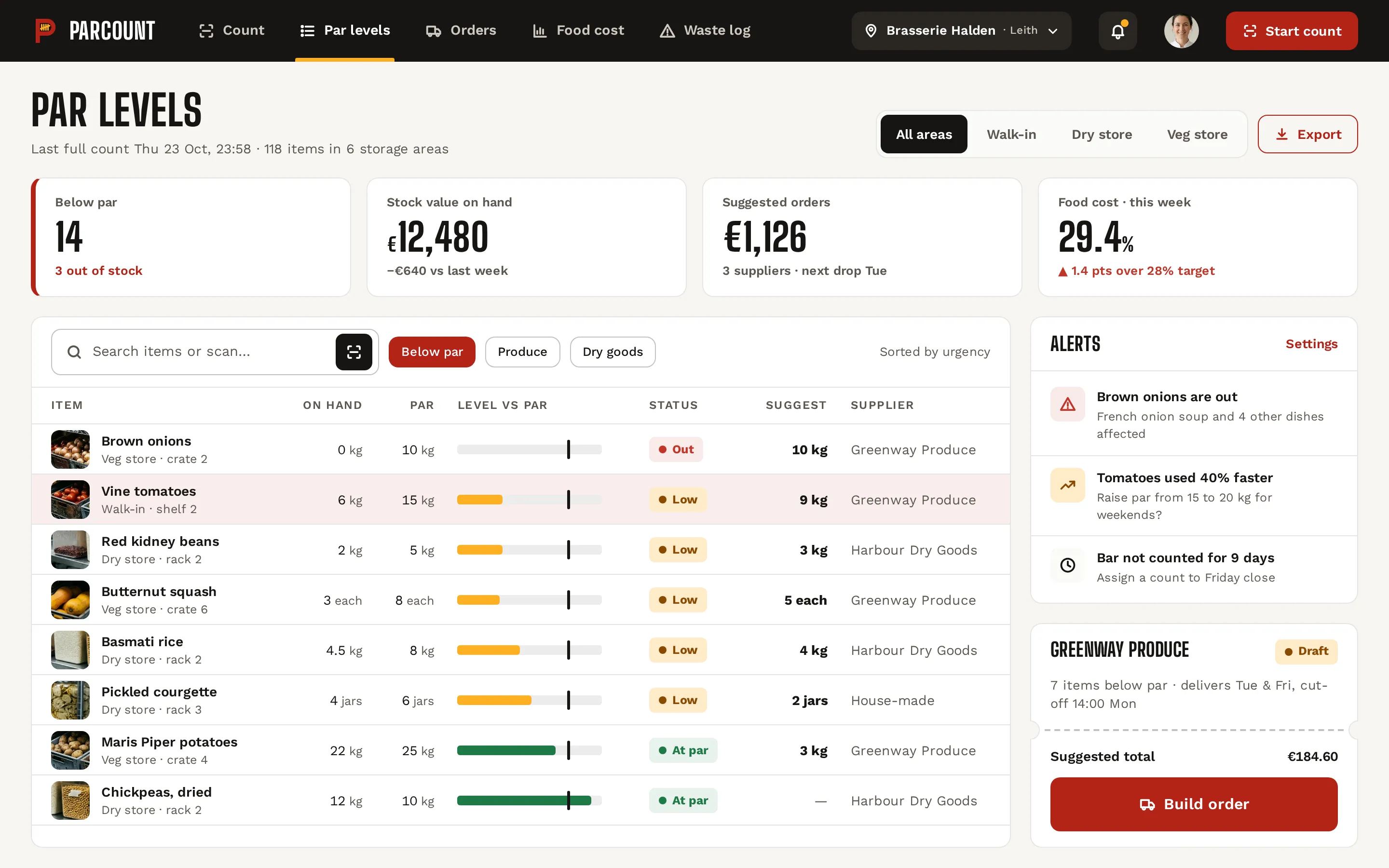
On the tablet, the item being counted and its number fill the centre; areas and the queue sit at the sides. On desktop, what is below par comes before what is fine.
- 02
Tablet + desktop
One tablet screen for the person at the shelf (1194 × 834 landscape) and three desktop screens for the office, sharing items, pars and suppliers.
- 03
States
Done / current / to-do areas, below par and out of stock, a price-change warning, a dish over its 28% target, a draft order, a scan state and a dark «night close» stepper.
- 04
Kitchen system
Cast-iron top bar, condensed uppercase headings, brass only as a fill with dark text, and ticket cards with a perforated edge.
- 05
Assets
Three photos made for the concept — pantry shelves, a dry store and a flat-iron dish; item thumbnails are crops of the same photos, so nothing is stock.
- 06
Real-looking data
118 items in 6 storage areas, 49 counted with 34 minutes left, €184.60 for Greenway Produce, a €6.32 plate at 31.6% — real lengths test every row.
Tomato red for action, brass for the ticket.
Tomato red carries every action and alarm (6.6:1 with white text); brass is a 1.69:1 accent — fills with cast-iron text, never text. Big Shoulders Display gives the condensed kitchen headings, Work Sans the dense tables.
An outlined tomato «P» with a brass tally — four strokes and a slash — in the bowl: «count» in one mark at 32 px. Variant 2 of a grid of four directions, redrawn as a vector.
#B42318
vs bg 6.04:1 · label 6.57:1
#FDB022
on bg 1.69:1
#161412
on bg 16.88:1
#F7F5F2
text on it 16.88:1
#FFFFFF
text on it 18.37:1
#5C5650
on bg 6.65:1
Accent / bg 1.69:1 — brass is a fill only (badges, progress, highlights) with cast-iron text on top, never text or signal icons.
Big Shoulders Display 800Parcount
Big Shoulders Display 800Chefs, kitchen managers and owners of independent restaurants (1–10 locations)
Work Sans 400 · 16/26Restaurant inventory that counts itself: scan-to-count on a tablet, par levels, supplier orders and live food-cost % per dish.
Work Sans 600 · 12restaurant ops / inventory
One count, from the shelf to the plate cost.
Par levels
KPIs for below par, stock value, suggested orders and food cost; a table with level-vs-par bars and statuses, alerts and the draft order for one supplier.
Order builder
Suppliers with cut-off times, order lines that fill each item back to par, a price-change warning and the order ticket with delivery slot and driver note.
Food cost
A dish photo, the plate cost as a donut by ingredient, a price simulator against the 28% target and all mains compared on one bar chart.
Glove-size stepper
One number at a time — 120 px minus and plus, quick adds and a keypad for the rest.
Plate cost
€6.32 a plate split by ingredient, with the food cost % against the net price.
Count mode · tablet
The closing count in the dry store: areas, the item with its photo, a 120 px stepper with quick adds, level vs par, usage variance and the shelf queue.
Component sheet
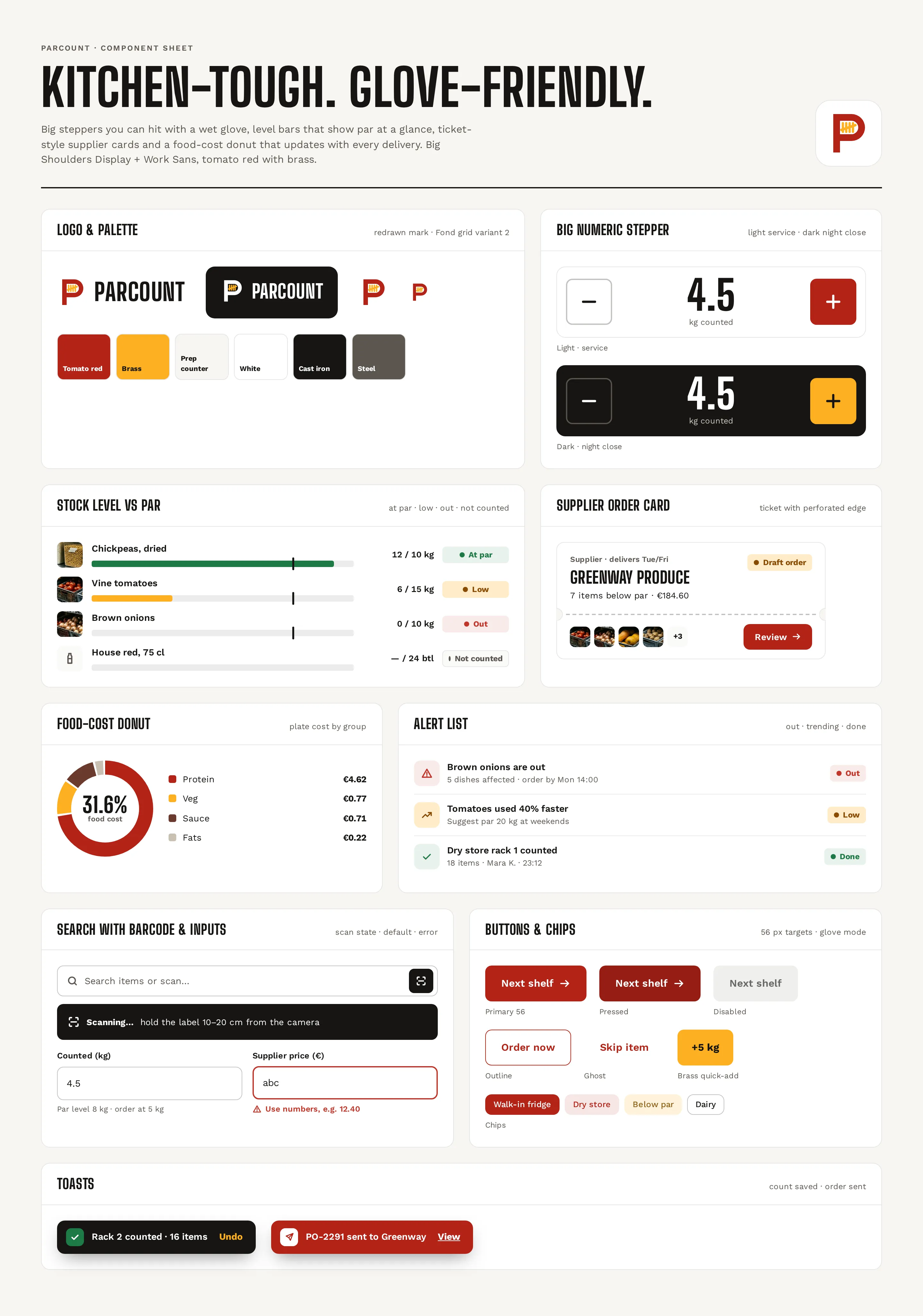
Logo and palette, the big stepper in light and dark «night close», level-vs-par states including not counted, the supplier ticket, food-cost donut, alert list, barcode search with scan state, 56 px buttons and chips, inputs and toasts.
Kitchen-toughQuickTactile
Questions & answers
Is Parcount a real product?
No. Parcount is a self-initiated concept by Omnisense — a brief we set ourselves, with no client and no business metrics. The restaurant, suppliers, staff and prices in the screens are sample data.
Who is Parcount for?
Chefs, kitchen managers and owners of independent restaurants with 1–10 locations, who still count on paper and reconcile in a spreadsheet.
Why a tablet mode?
The closing count happens in the dry store, often with gloves on. The tablet mode shows one item at a time with a large stepper, quick adds, a shelf queue and «Glove mode».
How does food cost stay up to date?
Food cost is the end of every flow: a count updates par levels, an order updates prices, and a price updates the plate cost — so a supplier's price rise shows up on every dish.
What did you design?
One tablet and three desktop screens: a count mode, par levels with alerts, an order builder by supplier and food cost per dish with a price simulator — plus a component sheet, logo, palette and type system.