2026
Tradeday
From the 7 a.m. call to the paid invoice — one board for the whole crew.
A dispatch board and mobile job sheet for small trades businesses (HVAC, plumbing, electrical): schedule, route, quote on site and get paid.
A self-initiated concept, designed like a real product.
The brief we set ourselves
Design the daily tool of a small trades business — heating, plumbing, electrical: a dispatch board for the office, a job sheet and an on-site quote for the technician, and invoices that get paid.
Who it is for
Owners and dispatchers of 3–30-person trades companies who juggle the day on a whiteboard and a phone, and technicians who quote in a customer's kitchen.
What we designed
The dispatch board with drag-and-drop, a job detail with checklist, photos and customer, an on-site quote with signature on mobile, and invoices with payment status and reminders.
Design facts from the concept files — not business results.
02ResearchTrades run on whiteboards, phones and goodwill.
We sized the field-service software market, looked at what the functional leaders cover, and searched the galleries for dispatch boards and on-site quotes — and found almost none.
We sized the field-service software market, looked at what the functional leaders cover, and searched the galleries for dispatch boards and on-site quotes — and found almost none.
- Market
Field-service management software in the U.S. is roughly a $2.8–2.9B market in 2025, growing about 7–8% a year (two snapshots of the same source differ).
DecisionA real, steady market for small businesses: design for the 6-technician company, not the enterprise with a control room.
- Gallery gap
Dribbble and Behance have plenty of CRM dashboards but almost no dispatch boards or mobile quotes for trades — the genre has no visual reference.
DecisionGive the genre its own look: workwear navy, label-tape headers, heavy 2 px rules — sturdy like the tools in the van.
- Scope
Products like Jobber cover the whole small-service workflow — scheduling, quotes, invoicing, payments.
DecisionKeep that full loop but show it as one day: board → job → quote → invoice, each screen handing the job to the next.
Patterns we borrowed
- Jobber
- Only the workflow scope for small service businesses; its design was not audited or reused
- Scheduling tools
- Technicians as lanes across the day, a now-line and drag-and-drop with a drop zone
- Delivery tracking
- Job status as a stepper: scheduled → en route → on site → completed → invoiced
- Payment apps
- A pay-link per invoice, viewed / reminded / overdue history
What we left out
Logos, screens and copy of Jobber or any field-service product. Tradeday has its own name, mark and icon set; customers and addresses are invented.
Moodboard references
From a timetable grid to a board the dispatcher trusts.
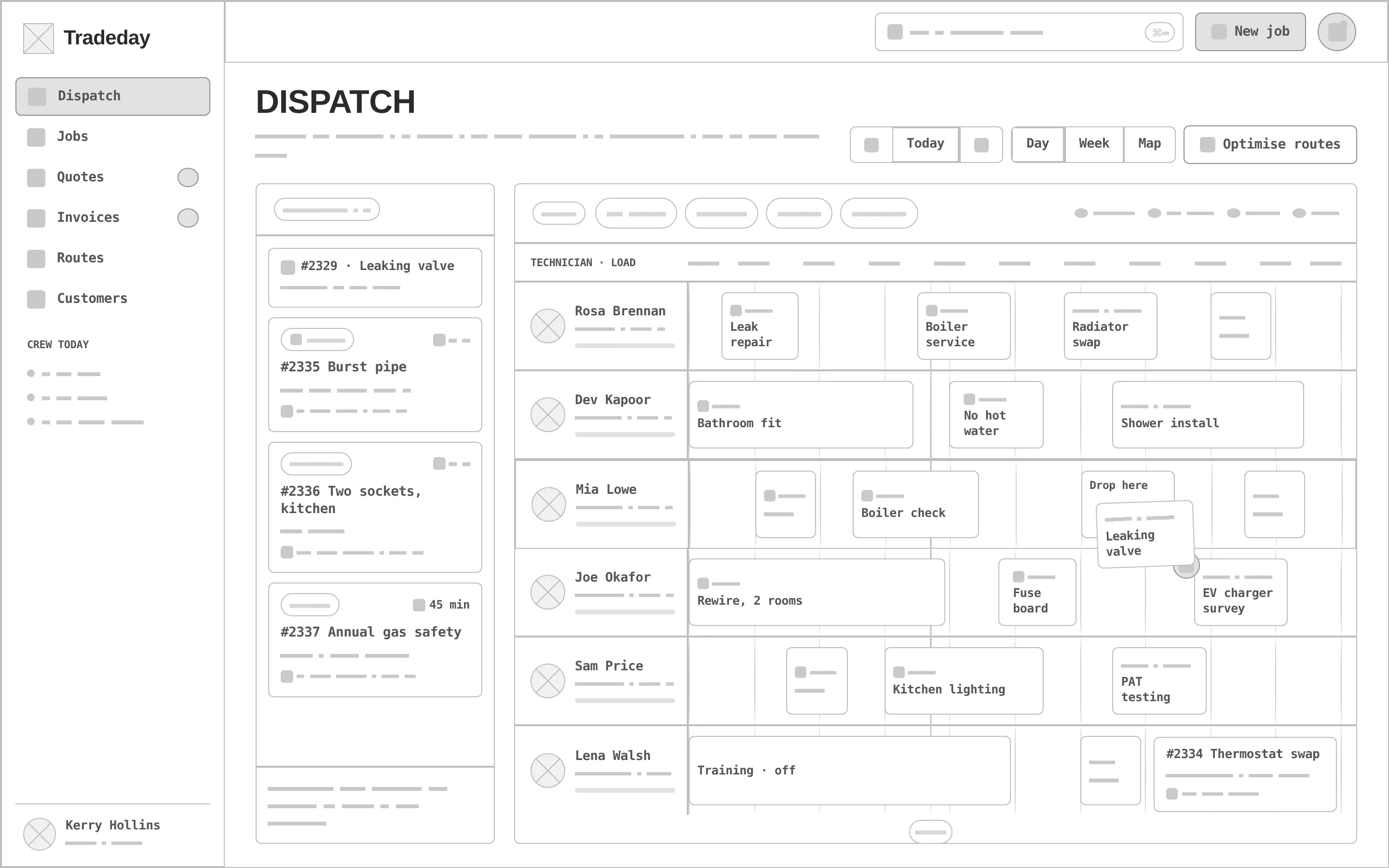
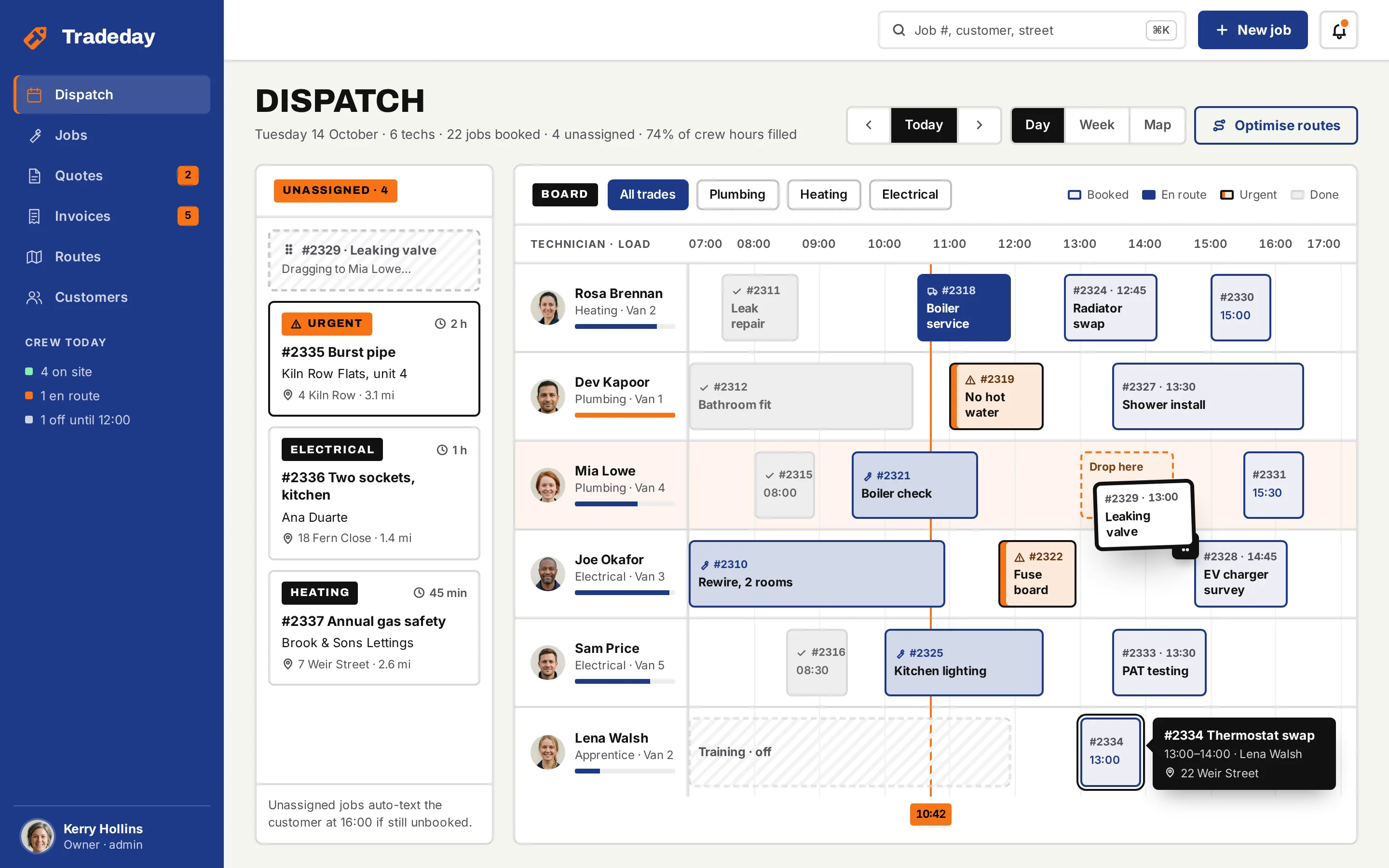
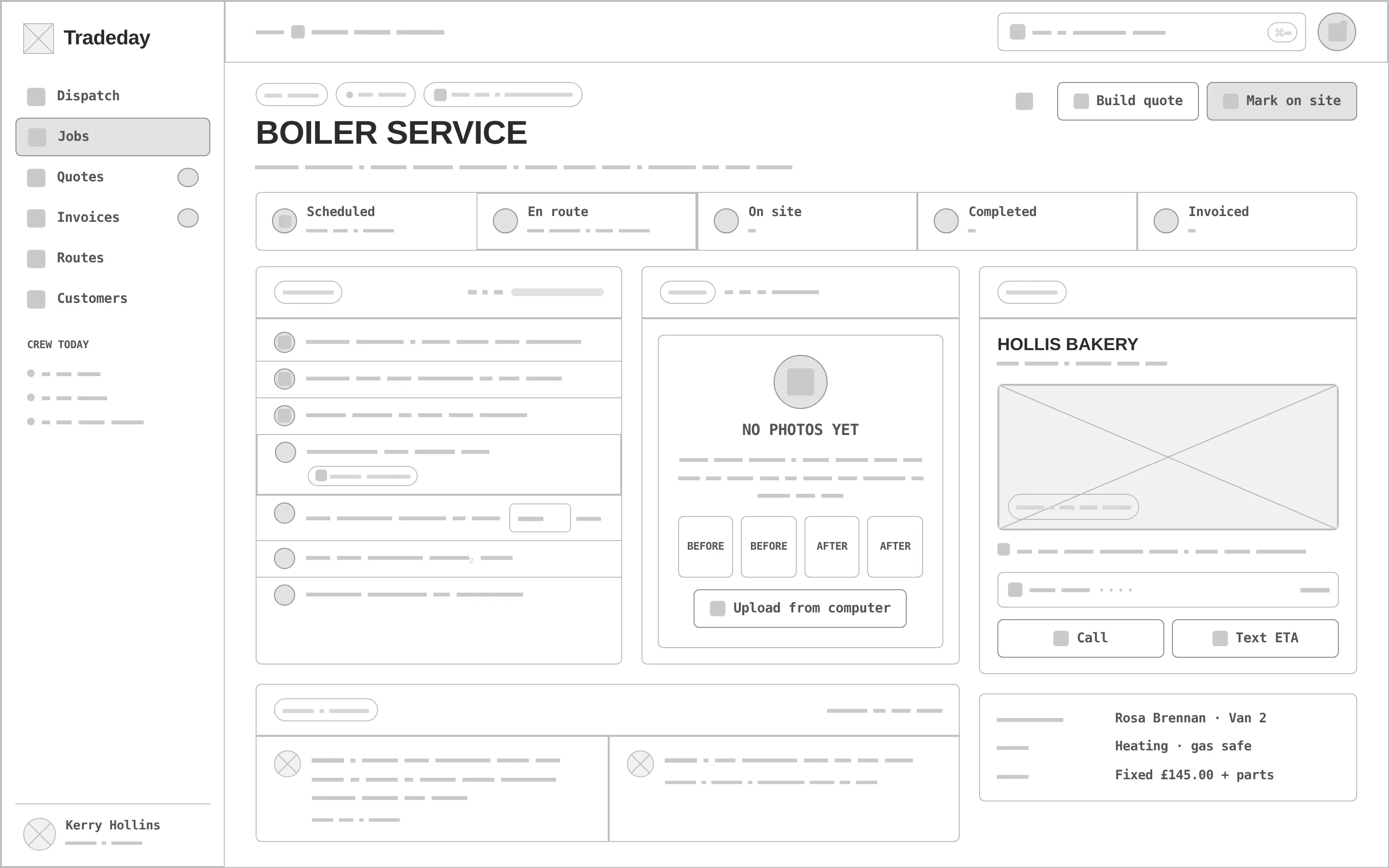
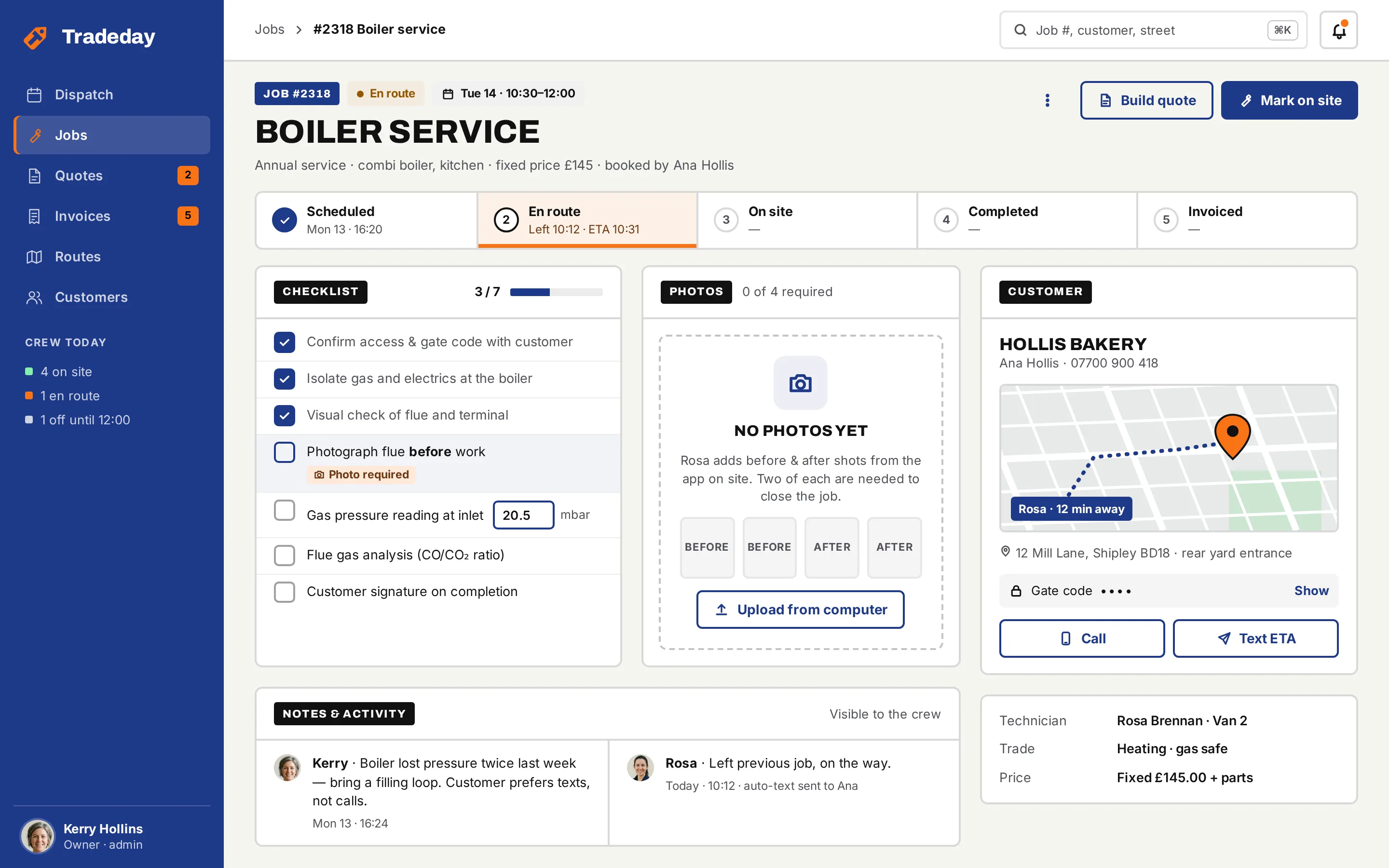
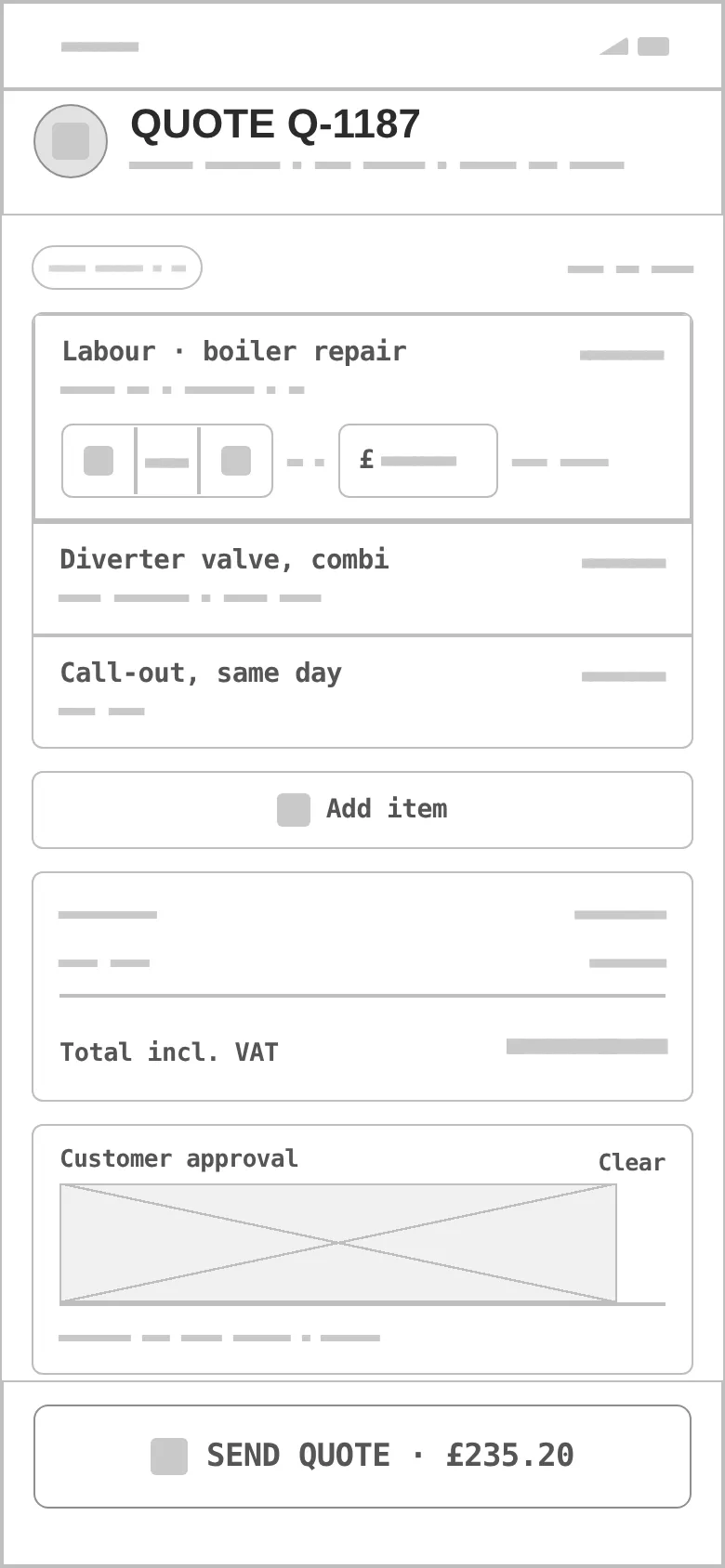
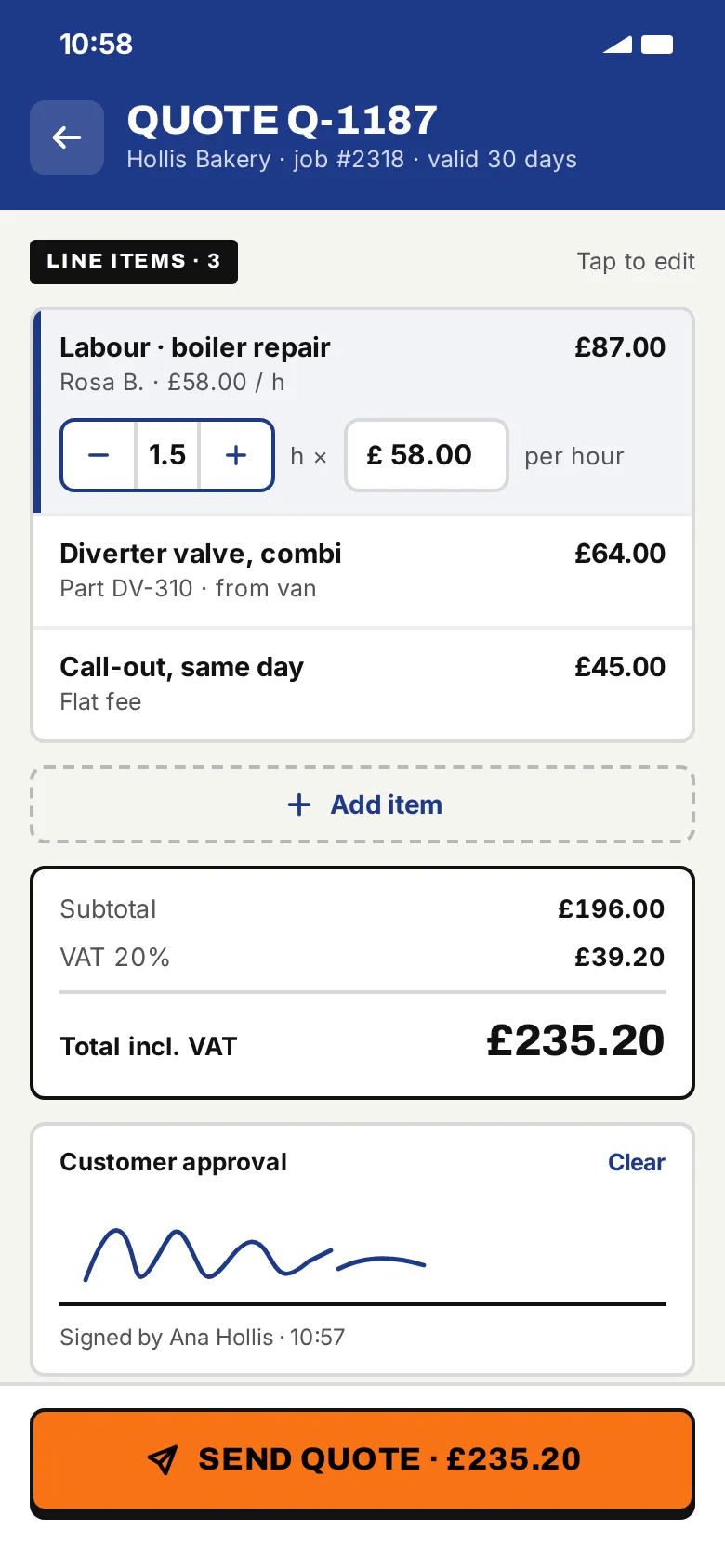
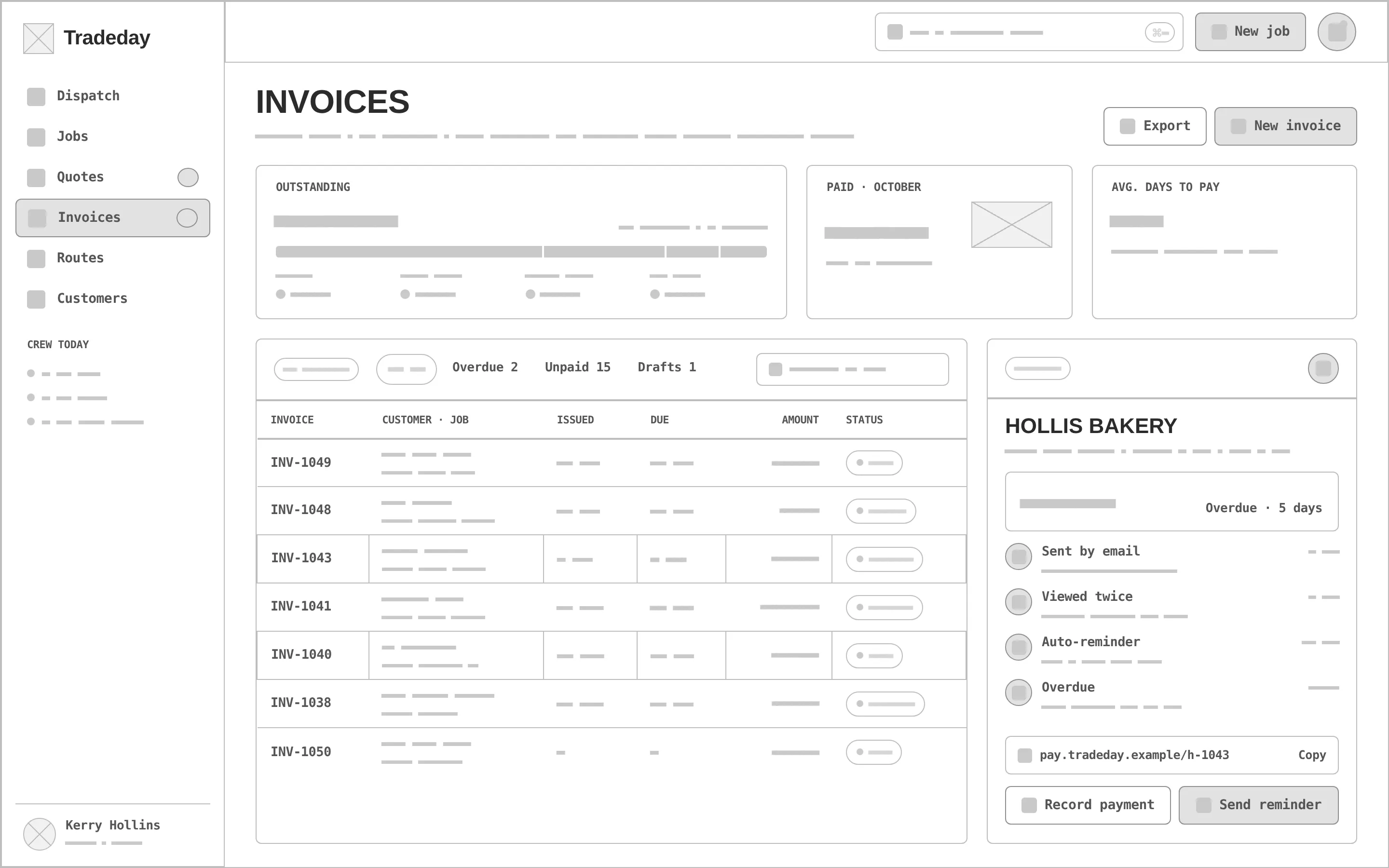
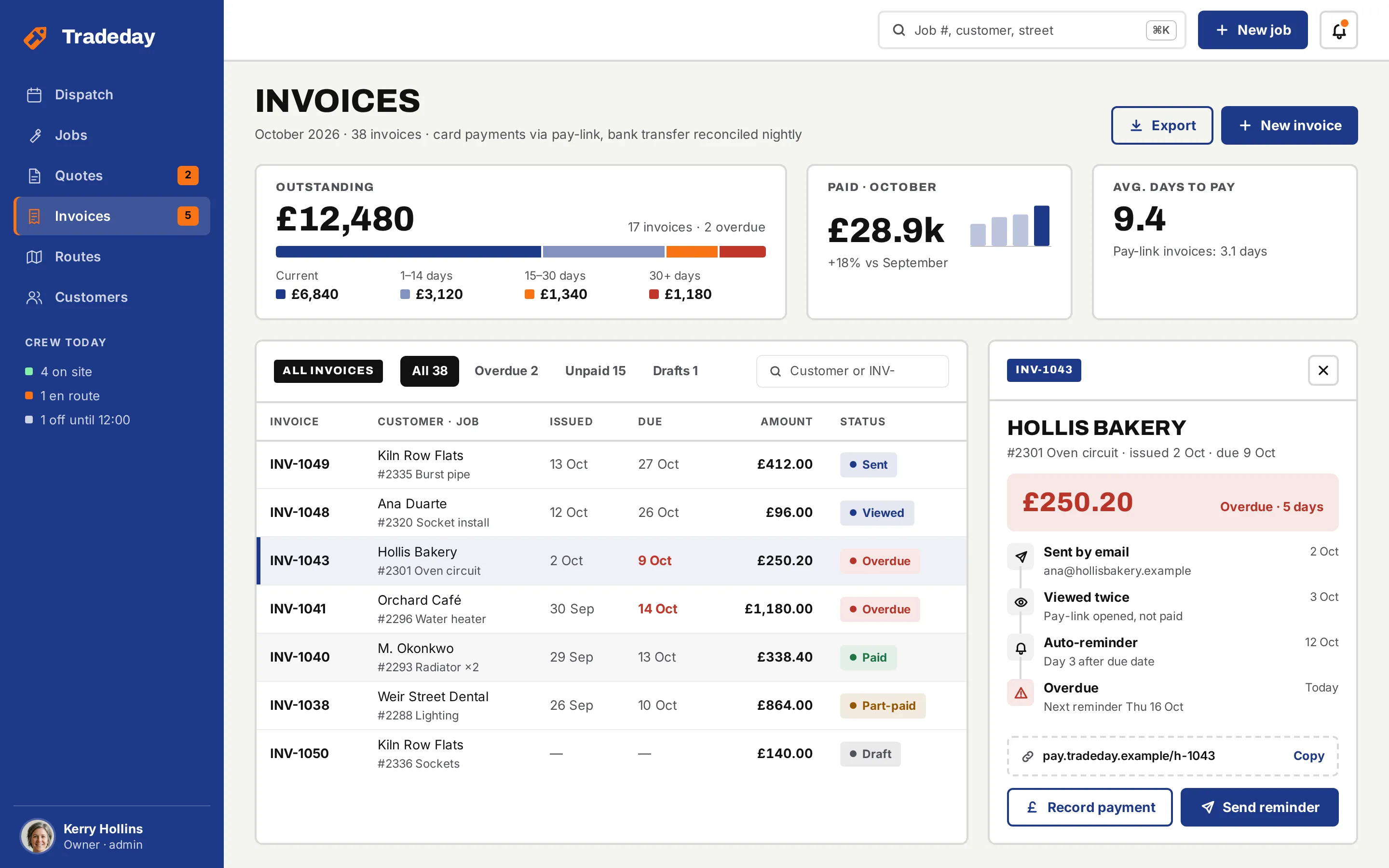
Every «before» is generated from the very same screen markup, reduced to outlines, readable labels and grey word-bars — no colour, photos or map. Drag a handle to compare.
- 01
Hierarchy
Unassigned and urgent jobs on the left, the crew's day on the right: the dispatcher's first question — what still needs a technician — is answered before the schedule.
- 02
Grid & density
A navy rail, a 12-column canvas and one lane per technician with its load bar; the mobile quote stacks the same line items for one thumb.
- 03
States
Booked / en route / urgent / done blocks, a job being dragged onto a «Drop here» zone, a checklist with a required photo, an overdue invoice, a signed quote.
- 04
Workwear system
Label-tape headers, heavy 2 px rules and uppercase Archivo titles — and safety orange kept for urgency and the one CTA on site.
- 05
Office + field
Three desktop screens for the office and one mobile screen for the technician, sharing the job number, the customer and the line items.
- 06
Real-looking data
Twenty-two jobs across six technicians, a £145 fixed-price boiler service, a £235.20 quote with VAT and £12,480 outstanding by age; photo avatars for three technicians, initials for the rest — real lengths everywhere.
Workwear navy for the work, safety orange for the alarm.
Workwear navy carries the rail, every action and the selected state (10.4:1 with white text); safety orange is 2.56:1 on canvas — urgency labels and the on-site CTA with dark text, never body text. Archivo sets the sturdy headings, Inter the dense interface.
A job tag — the label tied to a key or a part in the van — with a bold «T» cut into it, in safety orange and navy. Variant 3 of a second grid of four directions, redrawn as a vector that holds at 20 px.
#1E3A8A
vs bg 9.47:1 · label 10.36:1
#F97316
on bg 2.56:1
#111111
on bg 17.27:1
#F5F5F0
text on it 17.27:1
#FFFFFF
text on it 18.88:1
#52525B
on bg 7.07:1
Accent / bg 2.56:1 — safety orange is for urgency fills and the on-site CTA with dark text, never for text or signal icons.
Archivo 800Tradeday
Archivo 800Owners & dispatchers of 3–30-person trades companies
Inter 400 · 16/26A dispatch board and mobile job sheet for small trades businesses (HVAC, plumbing, electrical): schedule, route, quote on site and get paid.
Inter 600 · 12field service CRM / home trades
One job, from the board to the paid invoice.
Dispatch board
Six technicians as lanes across the day with their load, 22 jobs as blocks, four unassigned jobs on the left with the urgent burst pipe on top — and one being dragged in.
Job detail
A boiler service as a status stepper, a checklist with a required «before» photo, the photo slots, the customer with map, gate code and ETA, and the crew's notes.
Invoices
Outstanding by age, paid this month, average days to pay; the invoice list with statuses and an overdue invoice with its reminder history and pay-link.
Lanes and drag-and-drop
Each technician's day as a lane; a dragged job shows where it will land.
On-site quote · mobile
The technician builds the quote in the kitchen: labour with an hours stepper, parts from the van, VAT, the customer's signature and one orange «Send quote».
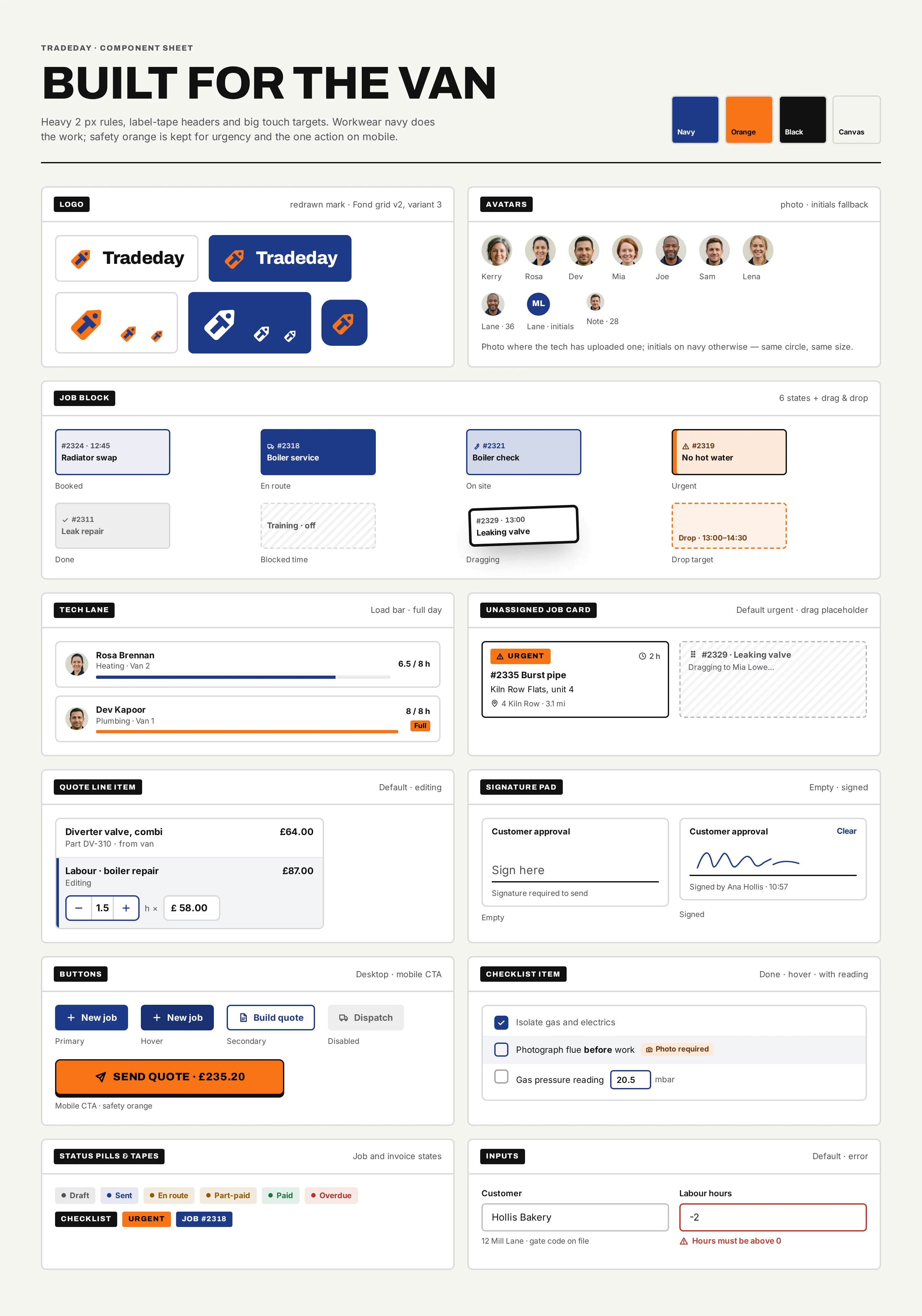
Component sheet
Logo lockups and palette, photo avatars with an initials fallback, job blocks in six states plus drag-and-drop, technician lanes, quote line-item rows, signature pad, status pills, the route map, buttons and inputs.
SturdyPracticalWorkwear
06Build planFrom the whiteboard to an app the van can trust.
Tradeday has two very different users: the office at a big screen and a technician in a kitchen with one bar of signal. The plan builds both on one job model and treats offline as a requirement, not a later fix.
Tradeday has two very different users: the office at a big screen and a technician in a kitchen with one bar of signal. The plan builds both on one job model and treats offline as a requirement, not a later fix.
- 01
Discovery & job model
Ride-alongs and office shadowing to follow one job from the 7 a.m. call to the paid invoice: statuses, who changes them, what the customer signs.
DeliverablesJob lifecycle mapData modelMVP scope - 02
UI system & prototypes
The component sheet becomes a coded library — job blocks in six states, lanes, quote rows, the signature pad — and clickable prototypes go to dispatchers and technicians.
DeliverablesComponent libraryTested prototypes - 03
Dispatch API & board
Jobs, technicians, schedules and customers behind a typed API, with real-time updates so a drag on the board reaches the technician's phone.
DeliverablesAPIReal-time syncDispatch board - 04
Offline quote on mobile
The job sheet and quote work with no signal: price list and van stock cached on the phone, changes queued and synced with clear conflict rules.
DeliverablesOffline storeSync queueConflict rules - 05
Invoices & payments
Quote to invoice in one step, VAT, pay-links through a payment provider, scheduled reminders and payment status back on the board.
DeliverablesInvoicingPay-linksReminders - 06
QA & release
Tests on real phones in weak signal, a pilot with one crew, store releases for iOS and Android and a web roll-out for the office.
DeliverablesDevice QAPilotStore release
Questions & answers
Is Tradeday a real product?
No. Tradeday is a self-initiated concept by Omnisense — a brief we set ourselves, with no client and no business metrics. All people, customers, addresses and amounts in the screens are sample data.
Who is Tradeday for?
Owners and dispatchers of 3–30-person trades companies — heating, plumbing, electrical — who juggle the day on a whiteboard and a phone, and technicians who quote in a customer's kitchen.
What did you design?
Three desktop screens and one mobile job sheet: the dispatch board with drag-and-drop, a job detail with checklist, photos and customer, an on-site quote with signature, and invoices with payment status and reminders.
Does the mobile quote work without signal?
In the build plan, yes: the job sheet and quote work with no signal, with the price list and van stock cached on the phone and changes queued and synced with clear conflict rules.
How would it be built?
On one job model for the office and the van, in six stages: discovery, a coded UI system, a dispatch API with real-time updates, offline quotes, invoices and payments, then QA, a pilot with one crew and store releases. Proposed stack: React / Next.js, React Native, Node.js and Postgres.